How to Read Notes Aloud (Physical, Handwritten, or Digital)
Yes, even your handwritten notebook. Here’s how to get any notes — paper, PDF, or digital — read aloud on your iPhone, hands-free.
Most people searching for how to read notes aloud are thinking of one of two scenarios. Either they have digital files they want to listen to while doing something else, or they have physical notes — a notebook, printed handouts, lecture slides on paper — and they want a way to convert those into audio too. Both are very solvable on iPhone, and the best tool for the job handles both without needing to switch between apps.
Reading physical and handwritten notes aloud
If your notes are on paper, the workflow is simple: photograph the page, let the app convert it to text with OCR, then hit play. Chitneek has a built-in camera scanner that handles this entire chain in one place. You don’t need a separate scanning app, a cloud upload, or any extra steps.
The built-in scanner opens your camera. Hold it over a page of notes — the app detects edges and captures a clean, deskewed image automatically.
The app runs optical character recognition on the image. This works well for printed notes and reasonably neat handwriting.
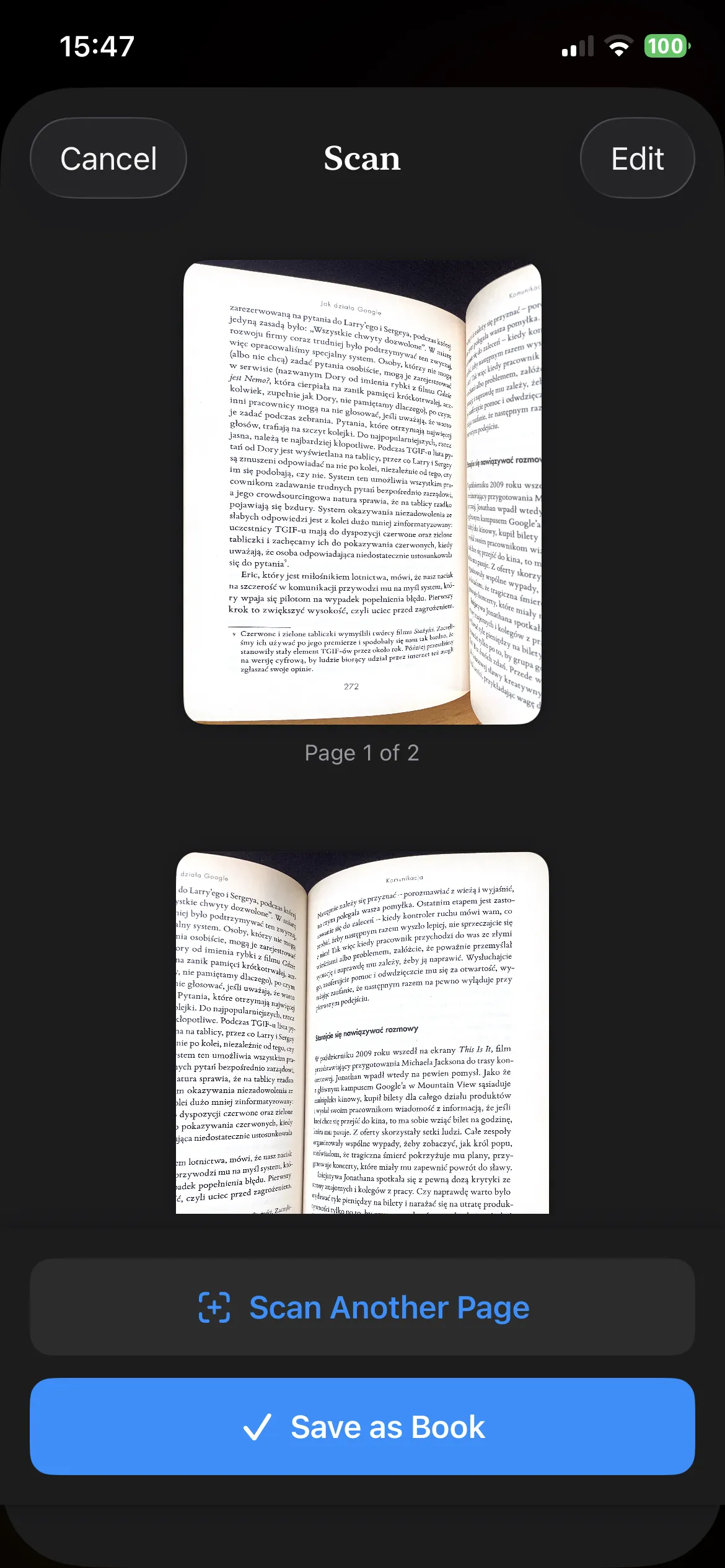
You can scan multiple pages into a single document, so a whole section of a notebook becomes one continuous listening session rather than a pile of separate files.
Chitneek reads the extracted text aloud using Apple’s natural-sounding TTS voices. Adjust the speed, lock your screen, and listen while you do something else.
Tip on handwriting quality: OCR accuracy depends on how legible the writing is. Print-style handwriting converts well; very cursive or compressed handwriting can produce errors.
Reading digital notes aloud (PDF, EPUB, and more)
For notes that already exist as files — PDFs exported from Notion, lecture slides saved as PDFs, ebook chapters, Word documents — Chitneek imports and reads them directly, with no scanning needed.
You can import files from the Files app, share a PDF into Chitneek from any other app using the iOS Share Sheet, or use the in-app browser to download documents directly from the web. Once a file is in your library, it’s available for offline listening any time, with no internet connection required.
What the playback experience looks like
Chitneek reads your documents with synchronized text tracking — the current sentence is highlighted as it’s spoken, which helps if you want to follow along visually. Background playback keeps the audio going when you lock your screen or switch apps, so you can commute, walk, or cook without touching your phone again.
Speed and pitch are both adjustable. Most people doing review listening settle somewhere between 1.2x and 1.5x for comfortable comprehension without mental fatigue.
Translate a PDF into another language before listening — useful for language learners or anyone working with foreign documents.
Create a shared library with classmates or study partners. Everyone can upload documents and listen; individual progress stays private.
Try Chitneek free for 7 days
Scan physical notes, import PDFs, listen offline. Works on iPhone with iOS 16.6 or later. Download on the App Store
Tips that actually improve how much you retain
- Review material you’ve already seen once: Listening is most effective as a second pass, not a first encounter.
- Clean up notes briefly before scanning: A quick check of OCR results ensures a coherent audio experience.
- Stay between 1.2x and 1.5x speed: Speed is good, but comprehension is better.
- Walk while you listen: Light movement has been shown to improve focus and memory recall during auditory learning.
Voice quality matters. Go to Settings → Accessibility → Spoken Content → Voices and download an Enhanced or Premium voice for a much more natural-sounding experience.