Your Whole Stack, One Place: Introducing Resso
At some point, managing your own infrastructure stops being a background task and starts being a part-time job.
For me, that point came somewhere around the third cloud VM. I had three servers, a handful of domains, over eight apps and projects across different environments, Vercel deployments, SaaS accounts with their own API keys and 2FA setups, and a growing list of things I was fairly sure I remembered, but was not entirely sure about. Which SSH key goes to which server? What registrar holds that domain, and when does it expire? Which environment variable in which project points to the staging database?
The answers were scattered. Some lived in a notes app, some in a password manager, some just in my head. None of those places talk to each other, and none of them give you a picture of how everything connects.
I built Resso to fix this.
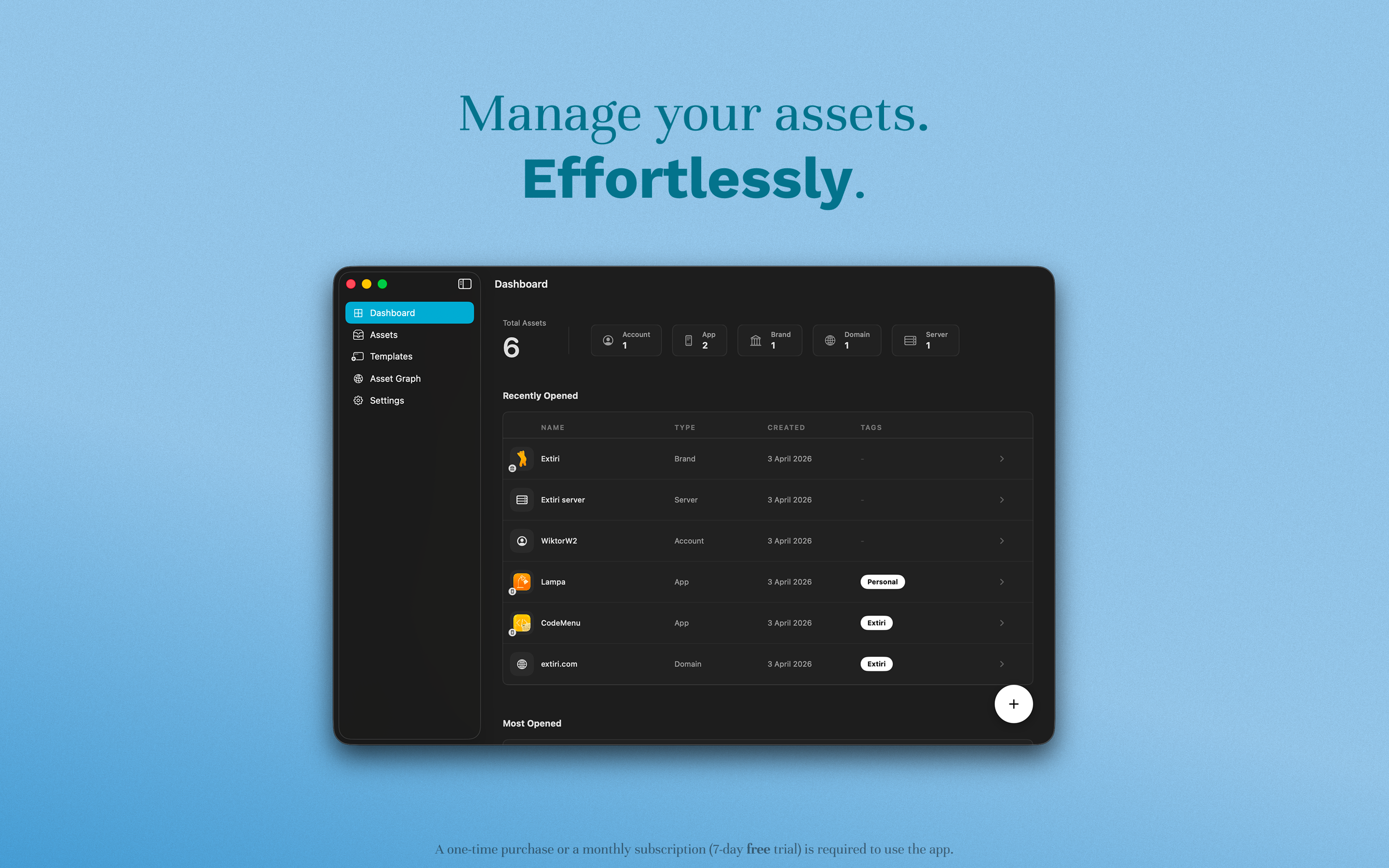
What Resso does
Resso is a native macOS app for managing your infrastructure assets. Not just listing them, but actually organizing them in a way that reflects how they relate to each other.
The core idea is that everything in your stack is an asset. A server is an asset. A domain is an asset. An app, a cloud account, a SaaS subscription are all assets. Resso gives each of them a home, a structure, and a way to link to everything else it touches.
Once your assets are in, the app starts to do something genuinely useful: it shows you your infrastructure as a graph. You can see your staging environment linked to production, your payment processor connected to the apps that depend on it, your servers holding the deployments that run on them. The dependencies that were invisible before are now visible, and staying on top of them stops feeling like a memory exercise.
Built for the kind of setup that grows sideways
Solo developers and small studios tend to accumulate infrastructure organically. You spin up a server here, register a domain there, add a Vercel project, hook in Stripe, maybe pick up a second server when the first one starts to feel crowded. Before long, you have a real stack, with real interdependencies, and almost nothing to help you reason about it as a whole.
Resso is designed for exactly this kind of setup. The focus is on giving you a clear mental model of what you have, so you can maintain it and build on it without constantly reconstructing that picture from scratch.
For solopreneurs specifically, Resso acts as a central knowledge base. You store server IPs, providers, monthly costs, and renewal dates. You track domain registrars, expiration dates, and auto-renewal status. You keep app bundle IDs, platforms, and repository URLs organized. You manage account usernames, emails, and service names. All in one place, all searchable, all structured consistently.
Assets with real structure
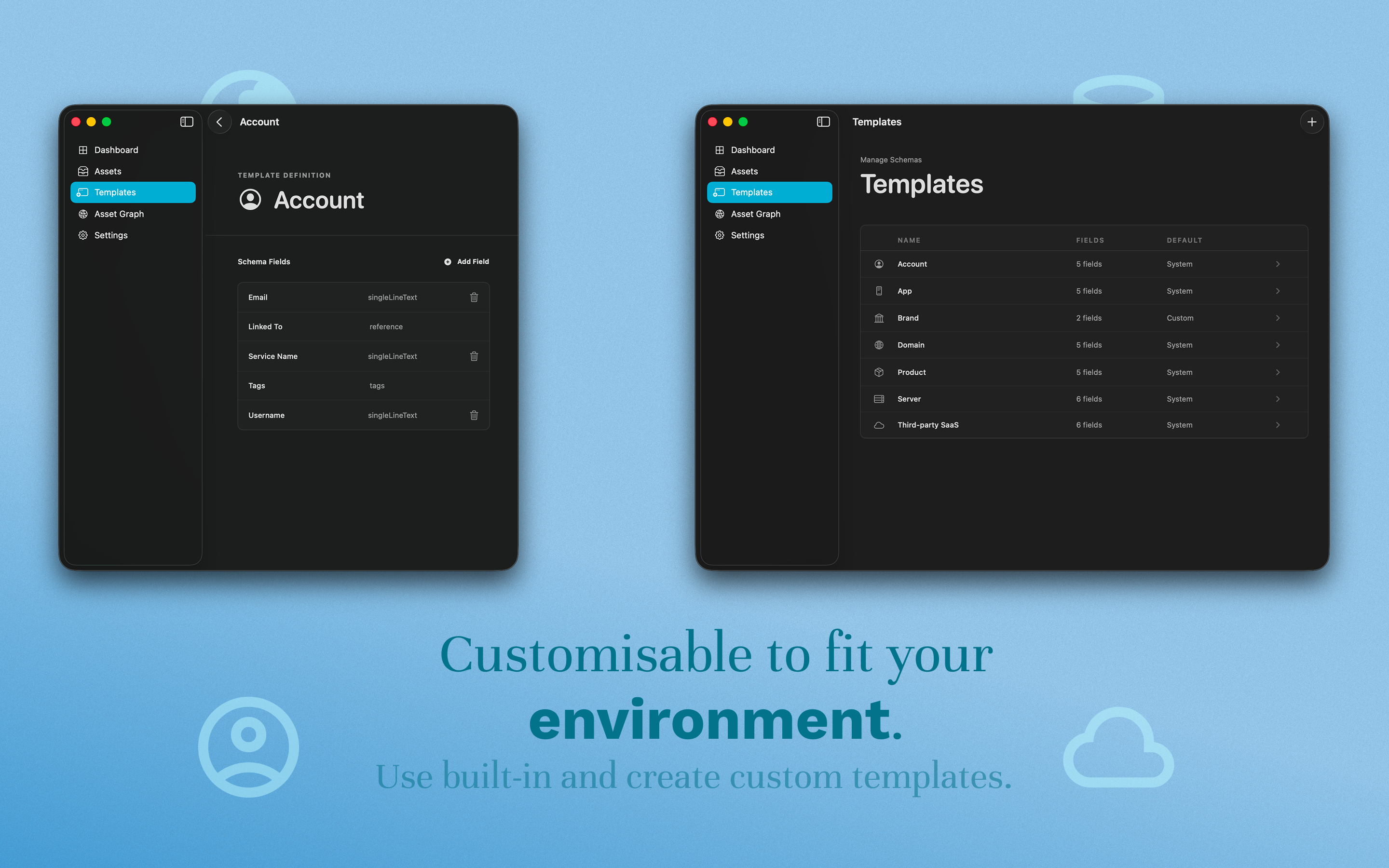
Resso ships with standard templates for the things most developers actually manage.
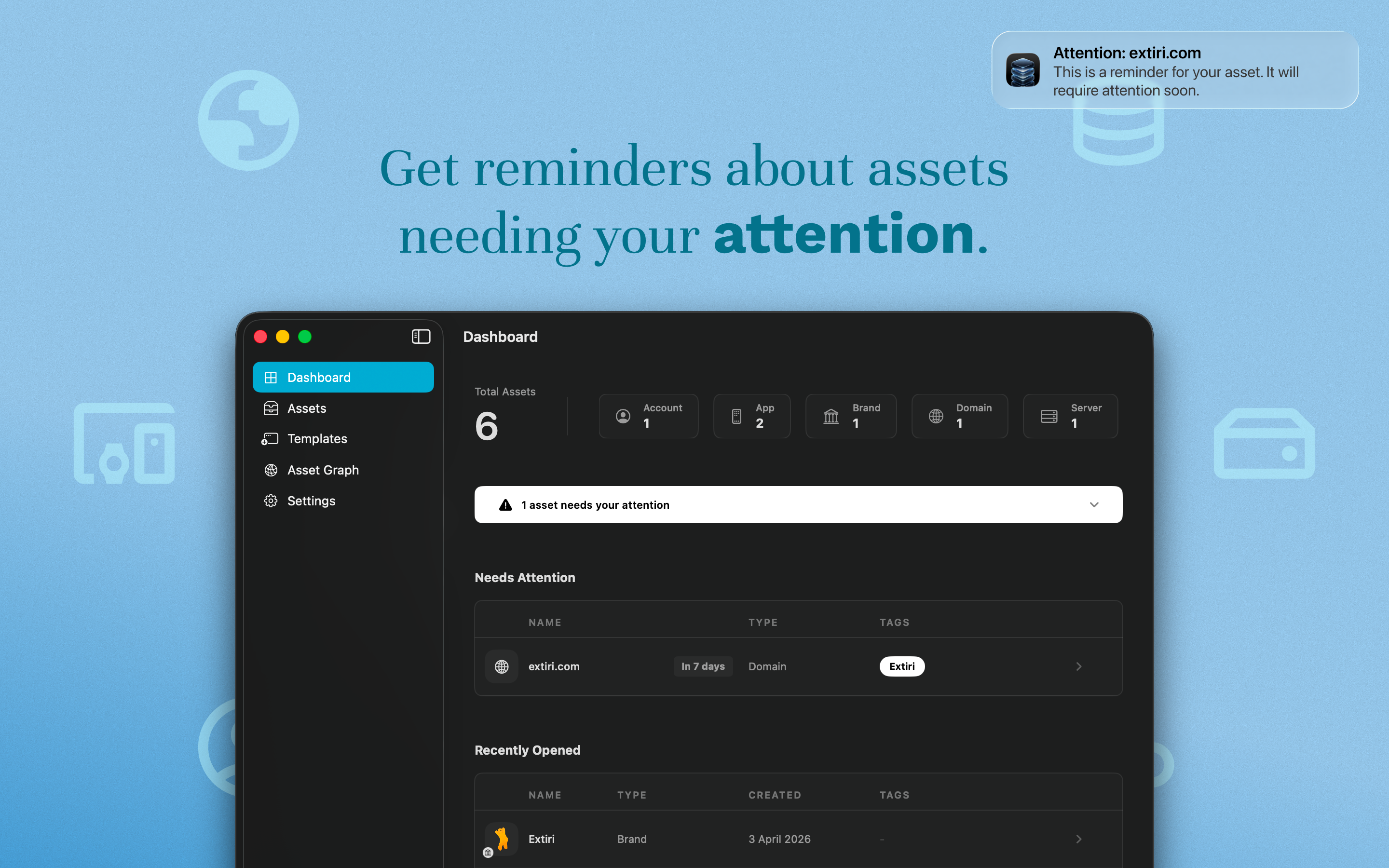
Servers capture IP addresses, providers, monthly costs, and renewal dates. When you have three VMs across different providers, having this in one structured format instead of three different notes is already a meaningful upgrade.
Domains track registrars, expiration dates, and auto-renewal status. Domain expiry is one of those things that will eventually catch you off-guard if you are not watching it somewhere intentional. Resso is intentional about it.
Apps store bundle IDs, platforms, and repository URLs. The full picture of how a project is identified and where its code lives, all in one structured view.
Accounts track service names, usernames, and email addresses. Useful when you need to find which credentials belong to which service without opening five browser tabs.
Beyond these templates, Resso also supports custom entities. If your stack has something specific that does not fit a standard mold, you can define your own asset type with its own properties. The app does not assume it knows every shape infrastructure can take.
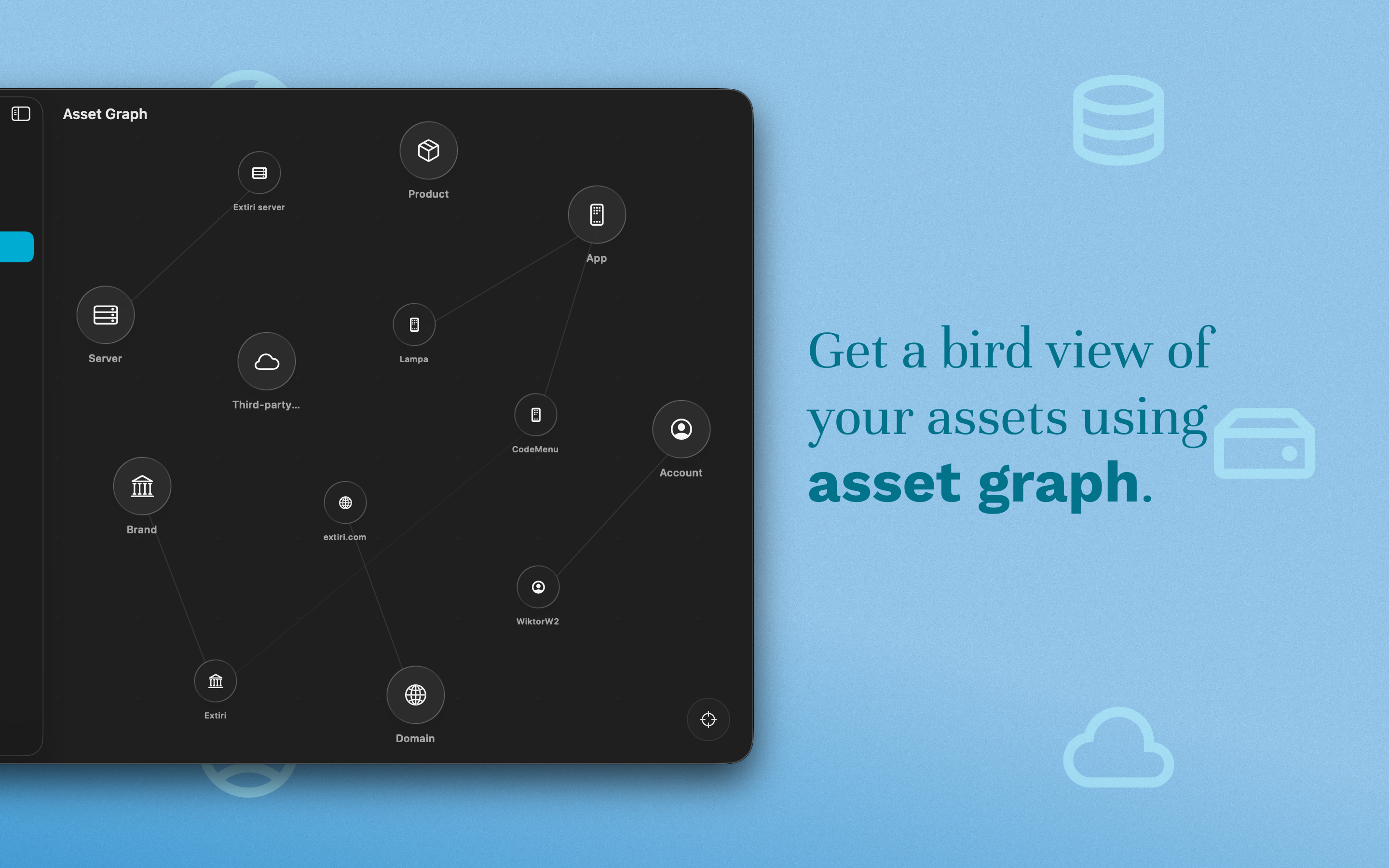
The graph view
The visual dependency graph is one of the things that sets Resso apart from a well-organized notes app.
When you start linking assets together, the graph view turns those connections into something you can actually see and navigate. You get a spatial map of your infrastructure: which servers host which apps, which apps talk to which external services, which accounts own which resources. That kind of map is surprisingly hard to hold in your head, and extremely useful to have on screen.
The graph also makes gaps obvious. If a service is floating without documented connections, you notice it. If something is linked to a dependency that has not been fully set up yet, you can see that too. It becomes much easier to reason about the health of your setup when the setup has a shape.
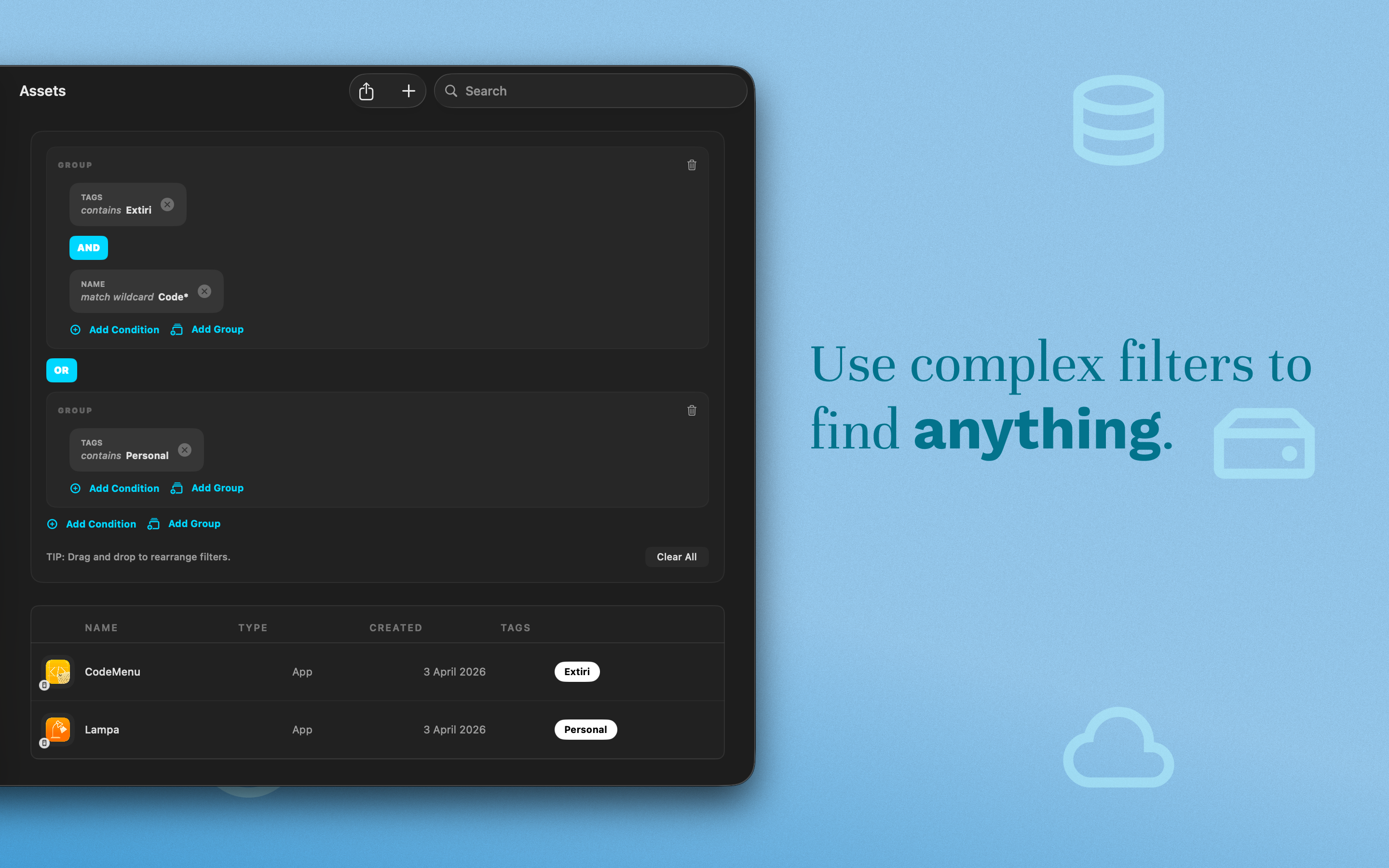
Filtering that actually handles complexity
As the number of assets grows, search and filtering become essential. Resso has a filter engine that supports complex logic across different property types.
You can combine string, numeric, and date conditions. You can filter by whether a value contains something, falls below a threshold, or precedes a specific date. The idea is that when you have hundreds of assets across different categories, finding exactly what you need should not involve scrolling.
The filtering is fast enough that it does not slow you down. The goal is to make your asset library feel small even when it is not.
iCloud sync and offline support
Resso syncs via iCloud, which means your assets are available across your Macs without any extra setup. If you work across a laptop and a desktop, or want to access your infrastructure notes from a secondary machine, the library stays current.
The app also works fully offline. Infrastructure management is not always done in ideal network conditions, and Resso does not require connectivity to be useful.
Why a native Mac app
There are web-based tools for some of this. Spreadsheets, Notion databases, purpose-built SaaS products. Most of them are either too generic to be useful or too enterprise-focused to be practical for a solo developer who just wants to know when their domain expires and where to find the SSH key for their staging server.
A native Mac app that lives in your dock and opens instantly is a different kind of tool. It fits into the way you actually work instead of adding another browser tab to the pile. Resso requires macOS 26 or later and is available on the Mac App Store.
If you manage your own infrastructure, Resso is worth a look. The first few hours of setting it up will pay back quickly the next time you need to find something you were certain you remembered.
Try Resso for free on the Mac App Store
Manage your infrastructure assets with ease. Works on macOS 26 or later. Download Resso on the App Store