 Airstrip
Turn operational knowledge into executable procedures.
Airstrip is the native macOS execution layer for technical runbooks. Stop context-switching and relying on memory during deployments, migrations, and server maintenance.
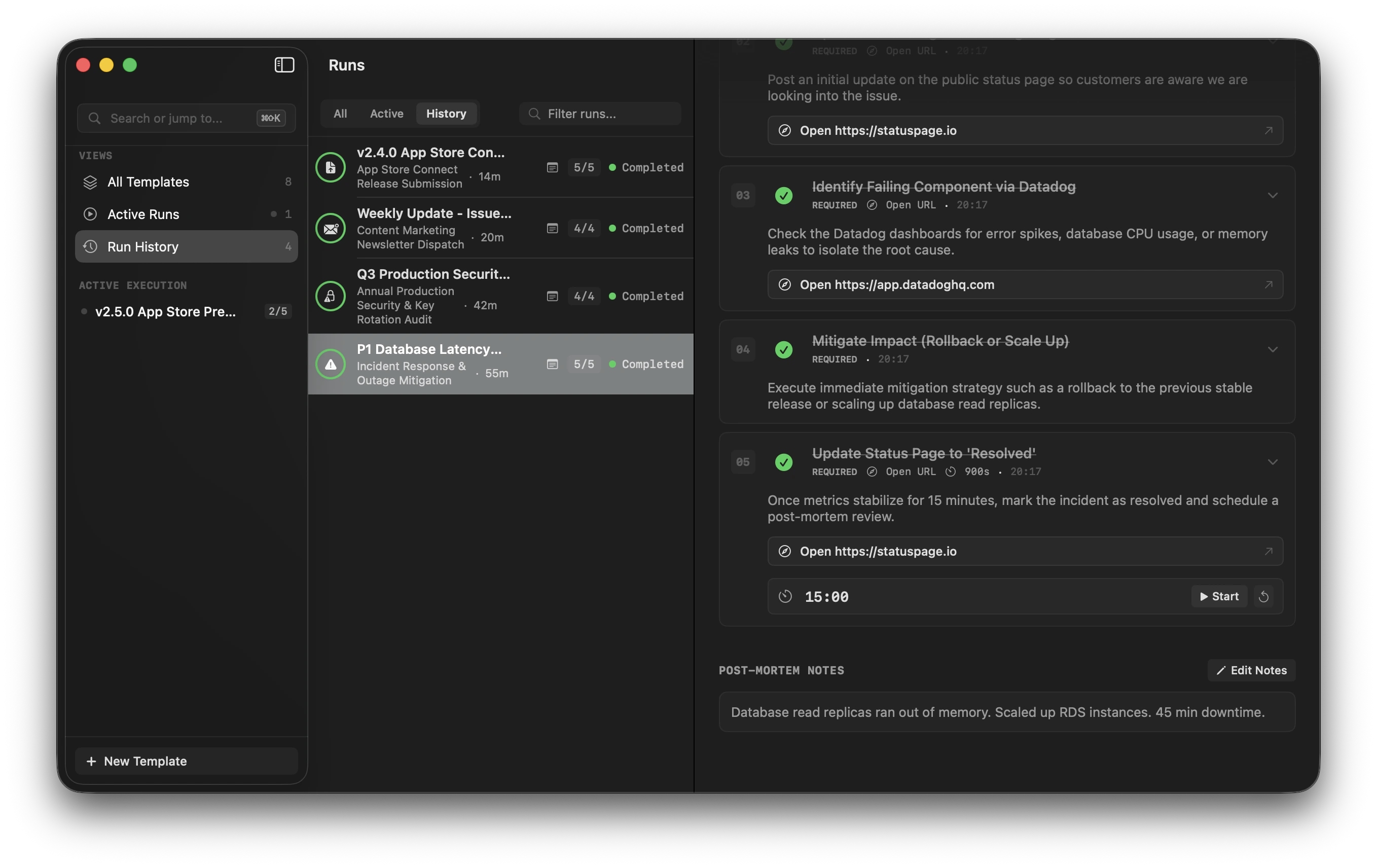
"I know how to do this. I just don't want to miss a step."
When performing a production deployment or database migration for the tenth time, your mental energy should be on execution, not hunting through browser tabs or trying to remember what you already ran.
Fragmented Workspace
Constantly alt-tabbing between documentation in Notion, terminal windows, staging dashboards, and Xcode breaks focus right when accuracy matters most.
Stale & Overwritten Docs
Standard wiki pages get edited after the fact. When something breaks, your documentation reflects what the procedure says today, not what was actually executed.
Memory Reliance Under Pressure
Routine technical operations fail not from lack of expertise, but from skipping a pre-flight check or a verification step during midnight maintenance.
Don't just document the procedure. Execute it.
A conventional document tells you what you should do. Airstrip guides you step-by-step through the actual work, enforces strict sequence when required, and captures an exact audit trail of the run.
Blueprints vs. Executions. Immutable historical records.
When you instantiate a procedure, Airstrip creates a deep-copy snapshot of the master blueprint. Modifying the blueprint later never retroactively alters your execution history.
Master Blueprints
Define reusable procedure templates with step sequences, Markdown instructions, interactive payload actions, and estimated durations.
Deep-Copy Execution Runs
Launching a run creates an isolated snapshot. You always know: "What procedure did I actually execute?" rather than what the doc says today.
Dynamic Launch Variables
Inject variables such as {{version}} or {{environment}} at launch time to
customize your runbook for every release.
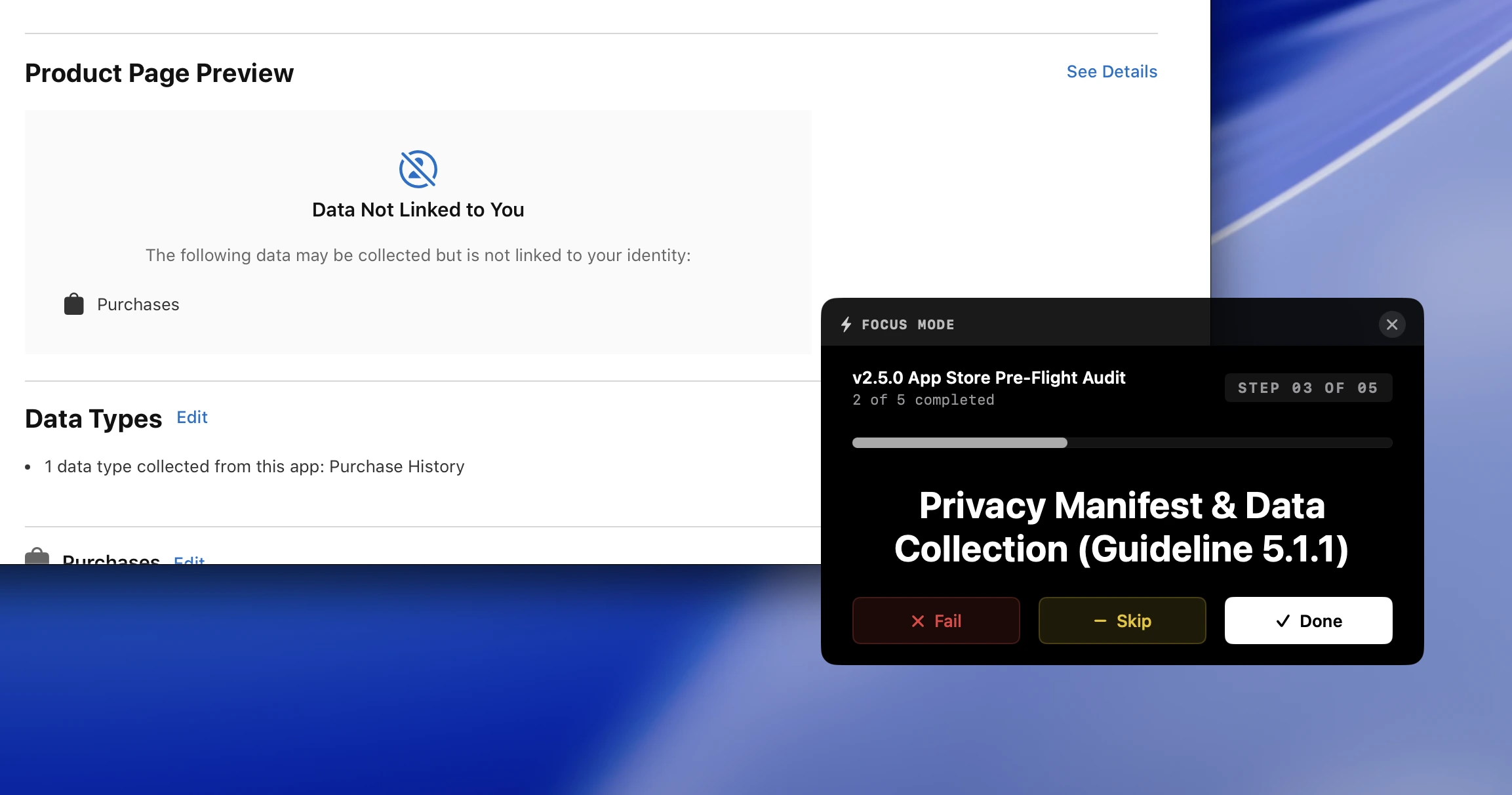
Stay in the work. Floating overlay above IDE & terminal.
Step out of the main application. Focus Mode displays a compact, borderless floating window that stays pinned above Xcode, VS Code, or your terminal.
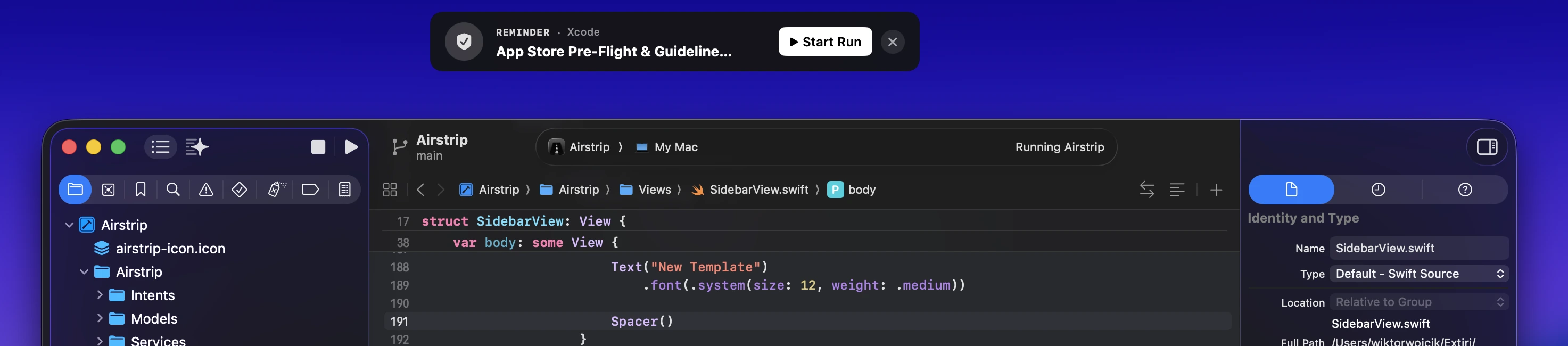
The right runbook, right when you need it.
Airstrip can monitor active application focus and browser domains to discreetly recommend the appropriate runbook the moment you open a relevant tool.
Steps with built-in execution actions.
Runbook steps are not just static text. Attach interactive actions to steps to eliminate manual copying and browser navigation.
Your procedures, in your AI agent's environment.
Airstrip exposes procedures directly to AI coding assistants via Model Context Protocol (MCP). Your carefully defined human runbooks become part of your AI agent's operating environment with full human-in-the-loop oversight.
Starting Production Release runbook in Airstrip via MCP. Following procedure steps.
Record what actually happened. Export anywhere.
Every execution run preserves a complete historical record: step statuses, exact timestamps, duration information, step notes, and post-mortem observations.
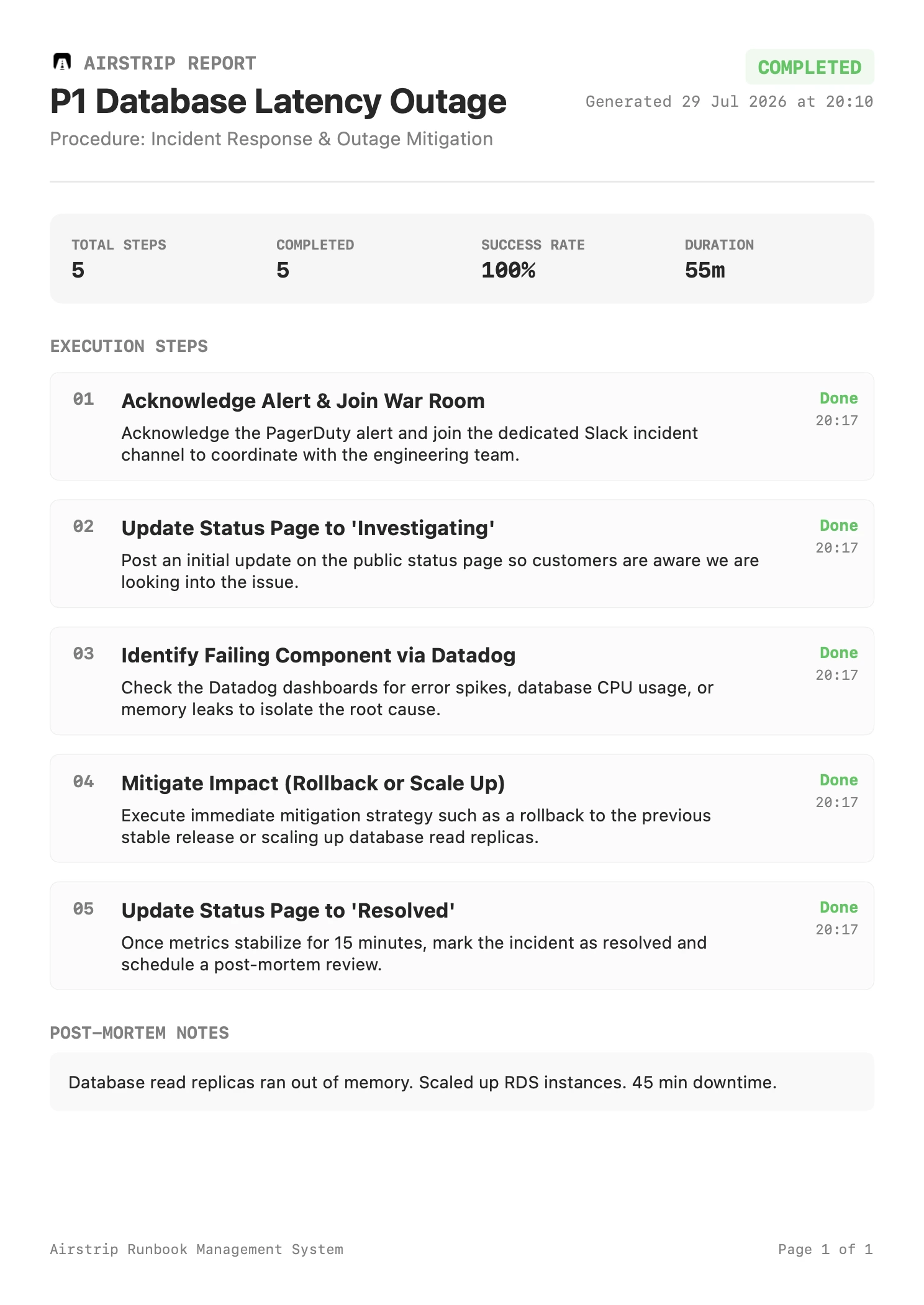
Crafted specifically for macOS.
Airstrip is built natively for Mac users, integrating seamlessly into your desktop environment with zero unnecessary web app overhead.
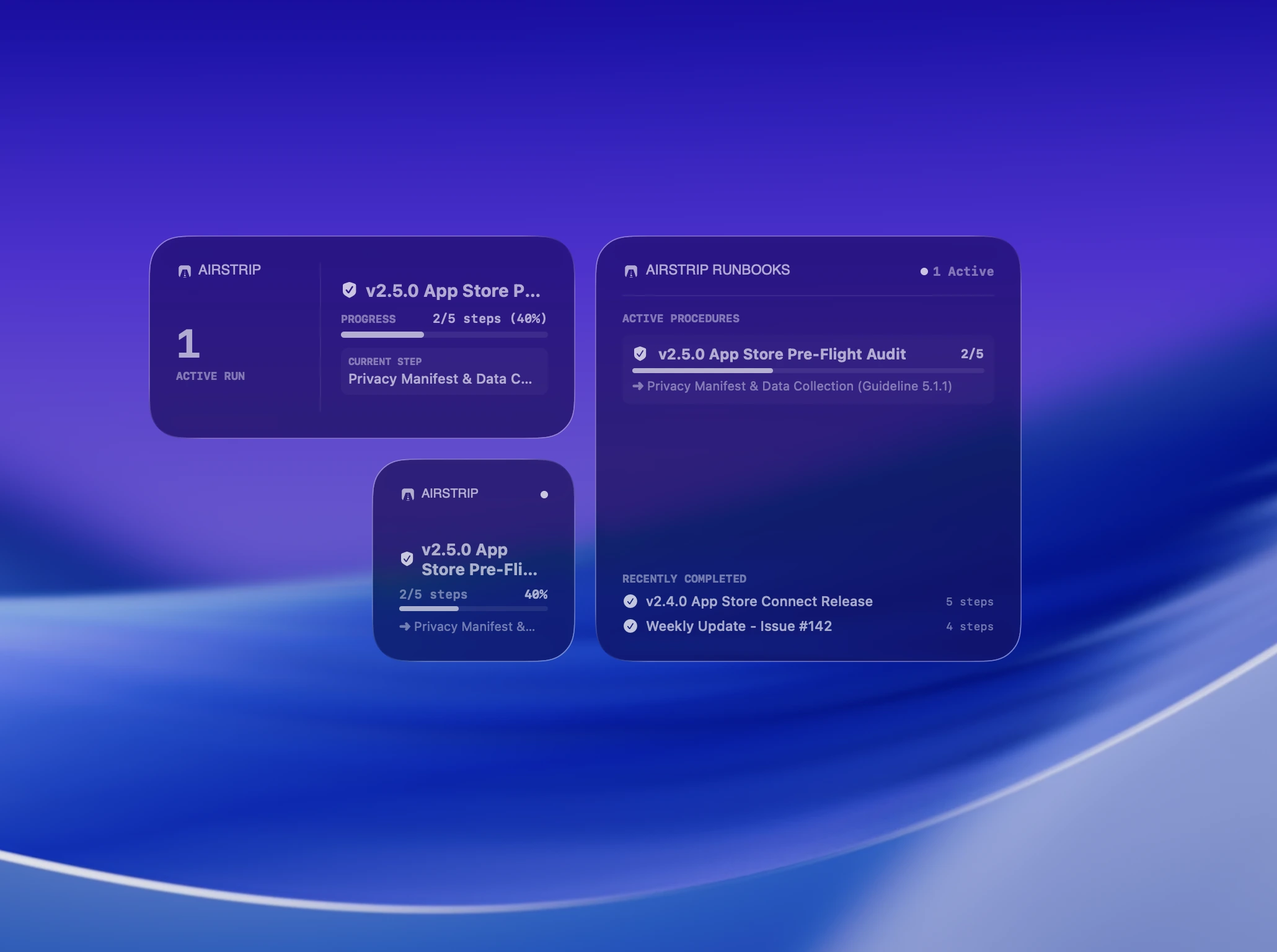
For procedures you perform repeatedly but can't afford to get wrong.
Airstrip is designed for solo developers, DevOps engineers, technical founders, and small engineering teams maintaining production software on Mac.
Deployments & Releases
Production rollouts, staging verifications, database schema migrations, and canary release checks.
App Store Submissions
Privacy manifest audits, version tagging, provisioning checks, screenshot builds, and submission flows.
Infrastructure & Security
Server maintenance, SSL certificate renewals, database backup/restores, and incident response runbooks.
FAQ
How is Airstrip different from Notion or Confluence?
Documentation tools store static knowledge that gets edited over time. Airstrip is the execution layer: it turns procedures into interactive runs, keeps you focused with a floating overlay, surfaces context automatically, and creates immutable execution logs for every run.
Is Airstrip an enterprise automation or incident platform?
No. Enterprise platforms like PagerDuty or Rootly focus on organizational incident routing and cloud orchestration. Airstrip is a lightweight, personal, local Mac tool built for the person actually executing the procedure on their machine.
Does Airstrip execute arbitrary shell commands automatically?
No. Airstrip does not autonomously alter your infrastructure without your knowledge. Steps contain interactive actions like Copy Text, Open URL, and Duration Timers so you can execute steps with full human-in-the-loop control.
How does Focus Mode work?
Focus Mode opens a compact, borderless floating window that stays pinned above applications like Xcode, VS Code, or terminal. You can mark steps as Done, Skip, or Fail using keyboard shortcuts without switching back to a documentation app.
What are Context Observers?
Airstrip monitors active window focus and browser domain names locally. When it detects a matching app (e.g., Xcode) or web domain (e.g., your staging environment), it displays a discreet banner offering to launch the relevant runbook.
What happens to past execution records when I modify a blueprint?
Nothing. Airstrip uses a deep-copy snapshot architecture. When a run is initiated, the blueprint is copied into an independent execution record. Updating the master template later will never alter past run history.
How do AI agents use Airstrip via Model Context Protocol (MCP)?
Airstrip exposes an MCP interface that AI coding tools (such as Claude Desktop or Cursor) can query. Your AI agent can inspect procedure steps, initiate runs, and follow defined runbook steps with full human oversight.
Does Airstrip work offline?
Yes. Airstrip is a native macOS application that operates 100% offline. Your runbooks and execution history reside on your Mac.
Does it sync across Macs via iCloud?
Yes. Built natively for Apple platforms, Airstrip syncs your blueprints, active runs, and contextual observer rules seamlessly via iCloud.
Is there a free trial?
Yes. Airstrip is available on the Mac App Store with a 14-day free trial so you can test executable runbooks before subscribing.
Stop relying on memory. Run the procedure.
Ship software reliably with native executable runbooks on macOS.