
Home Apps Blog
Rapidool Icon

Rapidool

The native workspace
for developer text

An offline computational scratchpad for macOS. Write notes, execute code, run mock API servers, and evaluate math in one private surface—without the bloat.

macOS Native Local-First Zero Friction

7-day free trial · 100% offline privacy · macOS 13+

Rapidool Smart Editor Interface

Core Concepts

A canvas that understands data. 100% local

Rapidool isn't just a text editor. It's built around four native concepts that bring your text to life, securely and instantly.

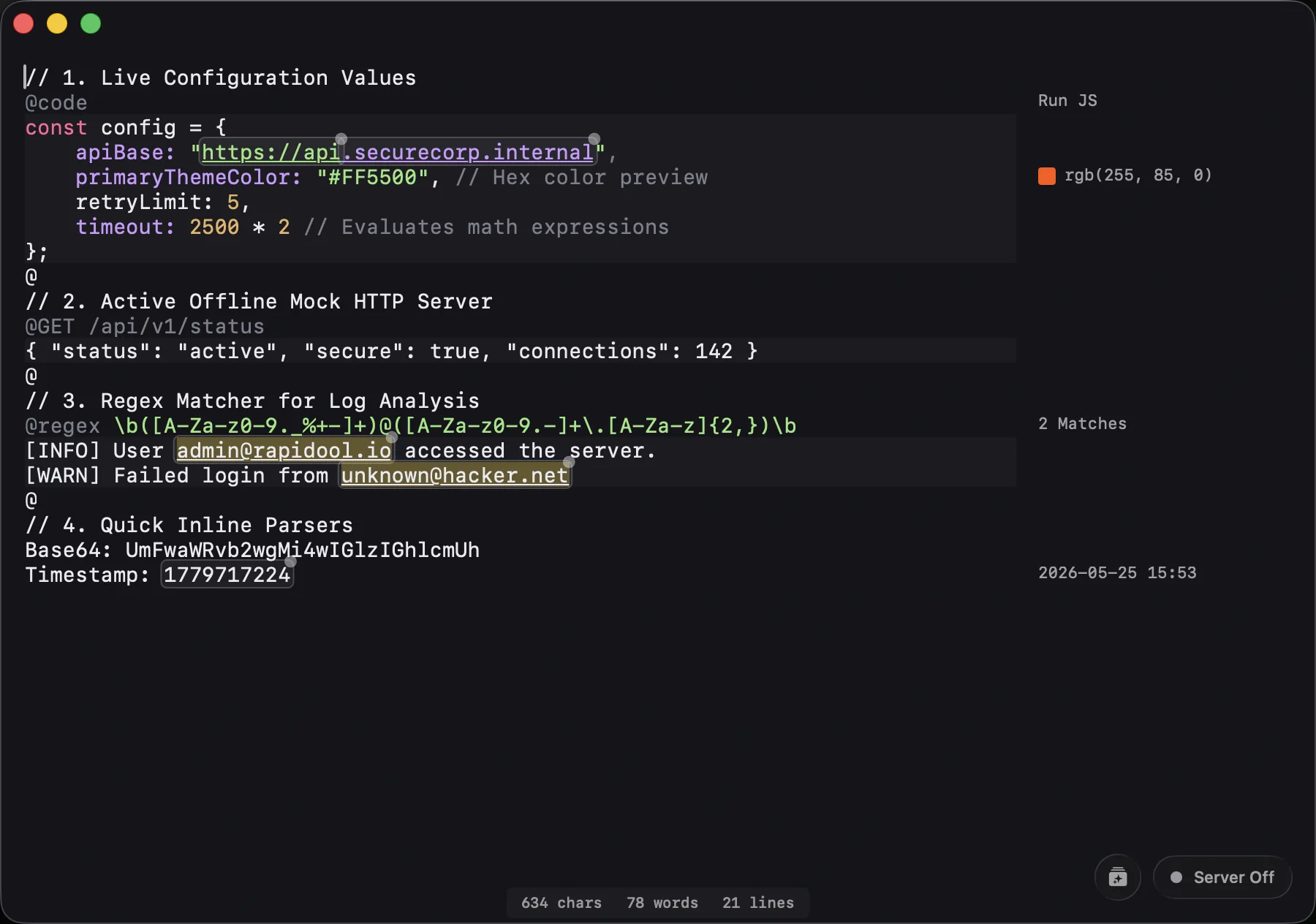
Sections (@)

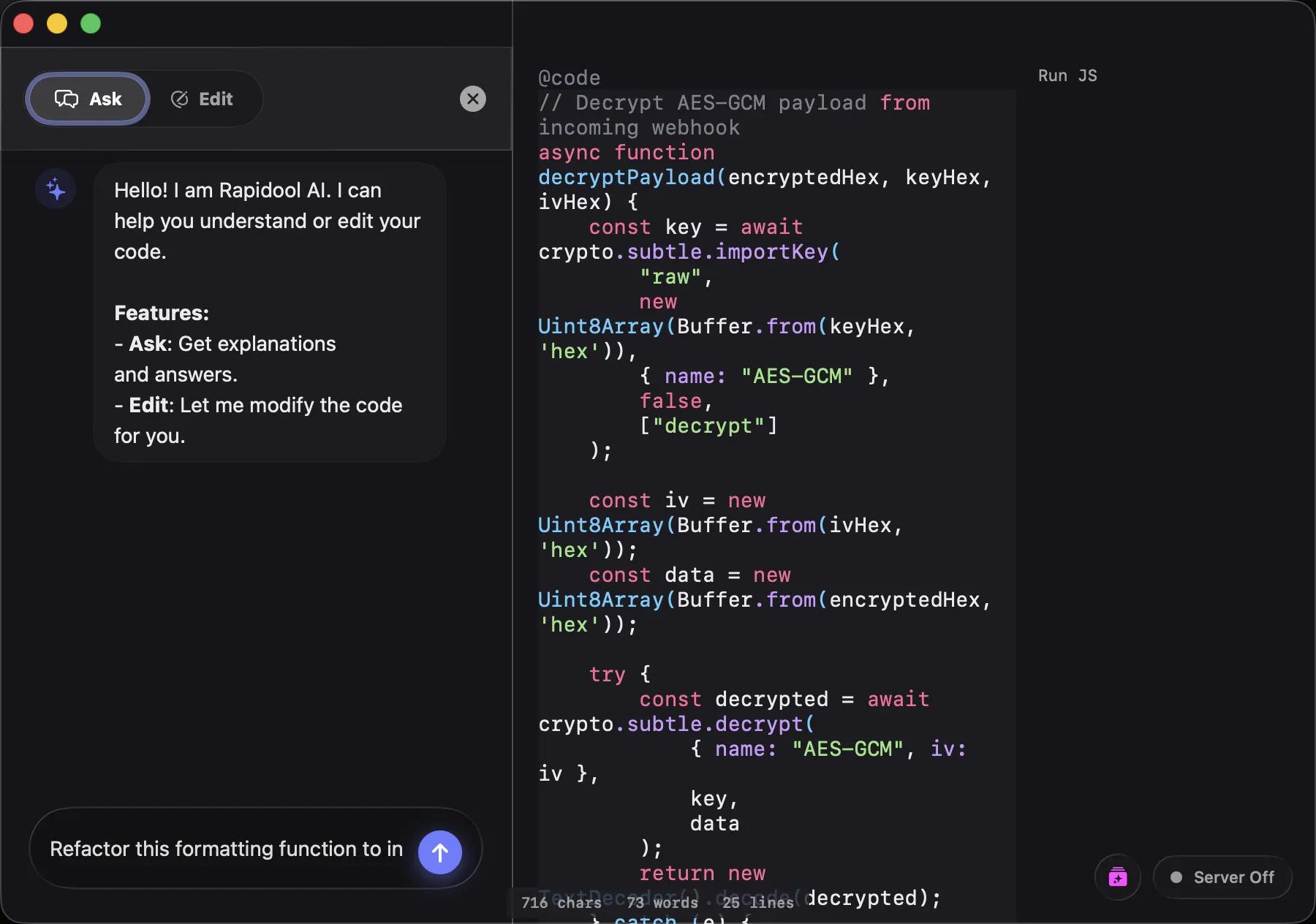
Prepend a block of text with @ to transform it into a dedicated, interactive environment right inside your document.

@code / @html
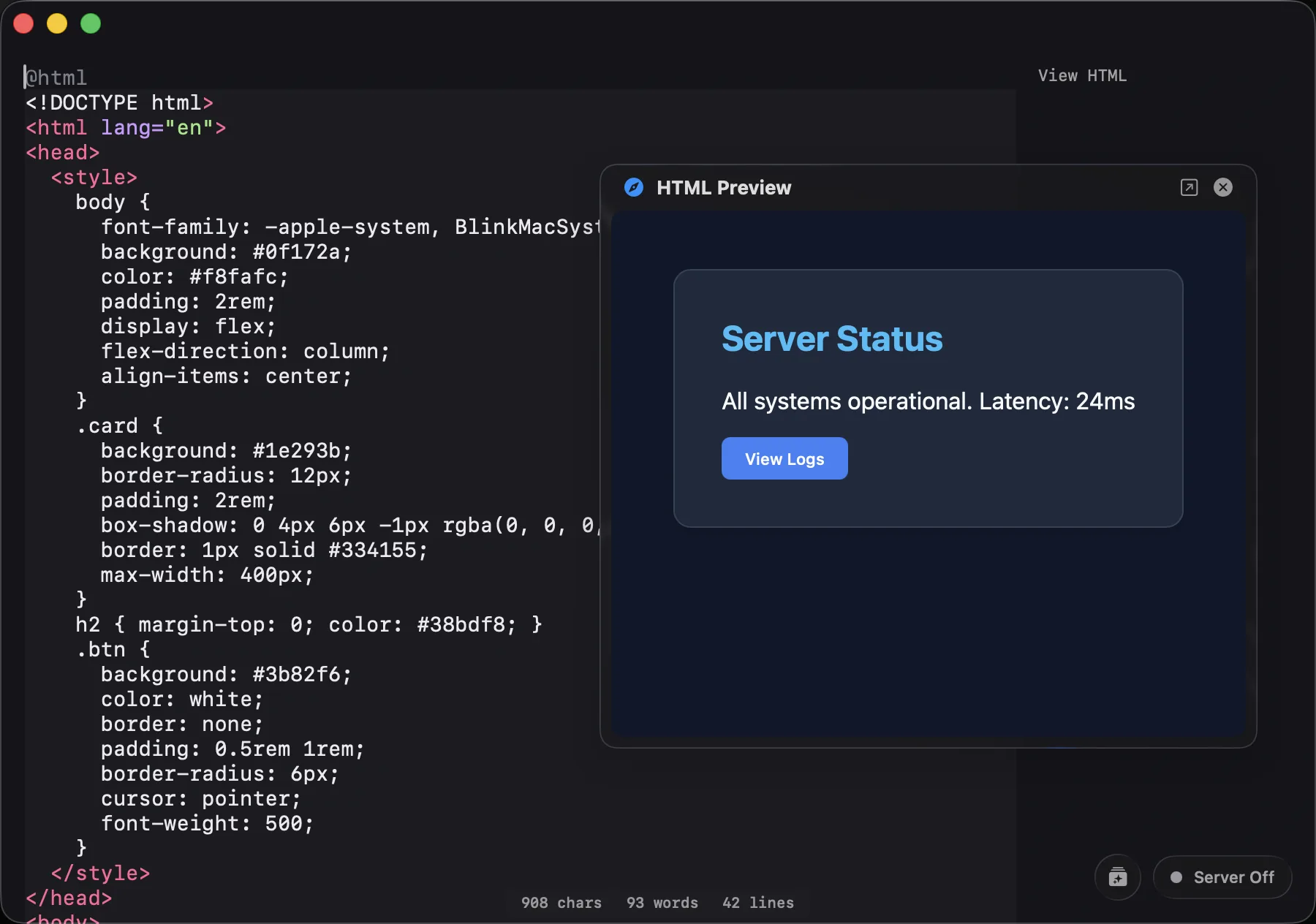
Run JS scripts natively or render live HTML/CSS previews.
@diff
Compare any two diff sections within a file instantly.
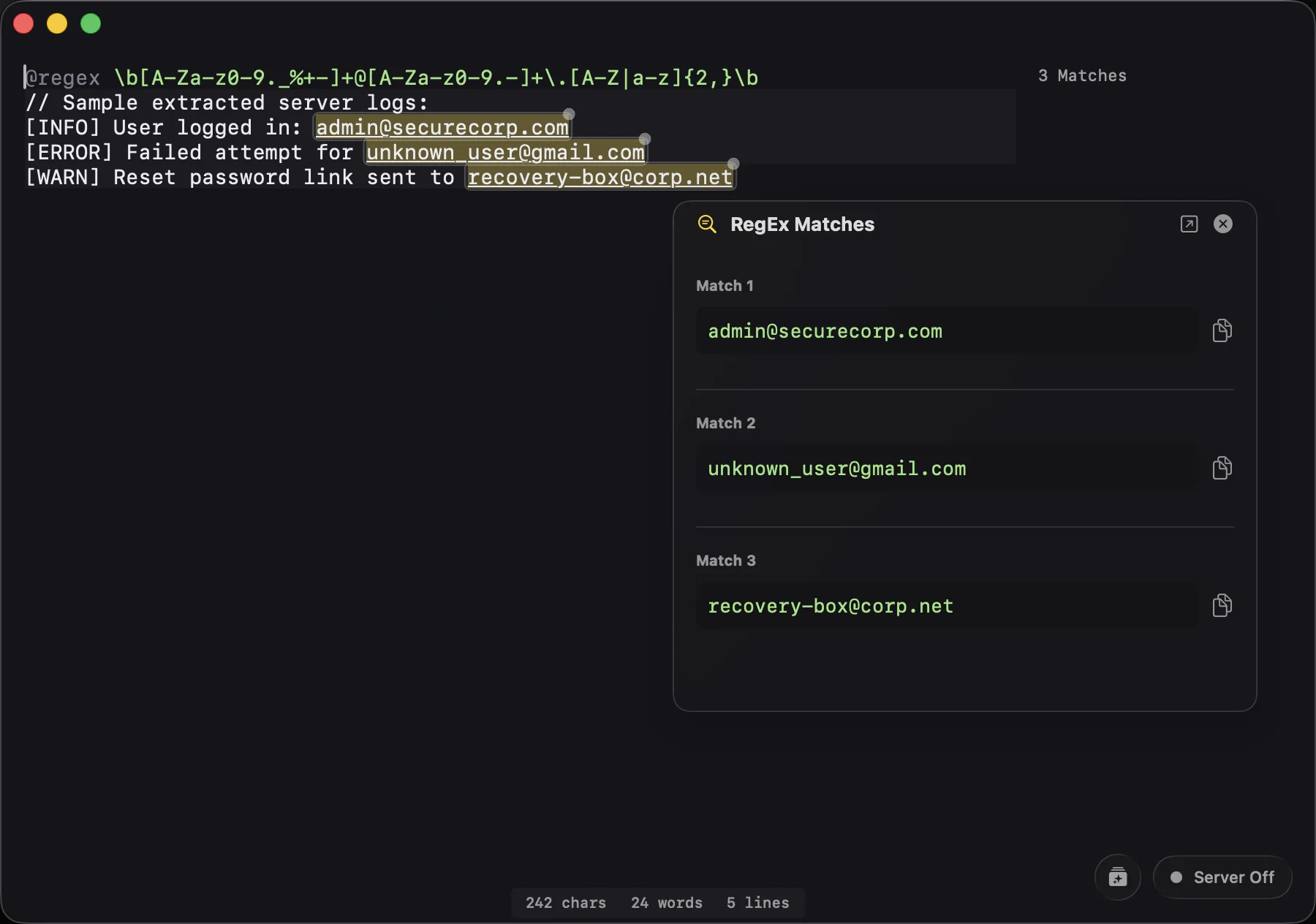
@regex
Test regular expressions with real-time match highlighting.
@GET / Mock APIs
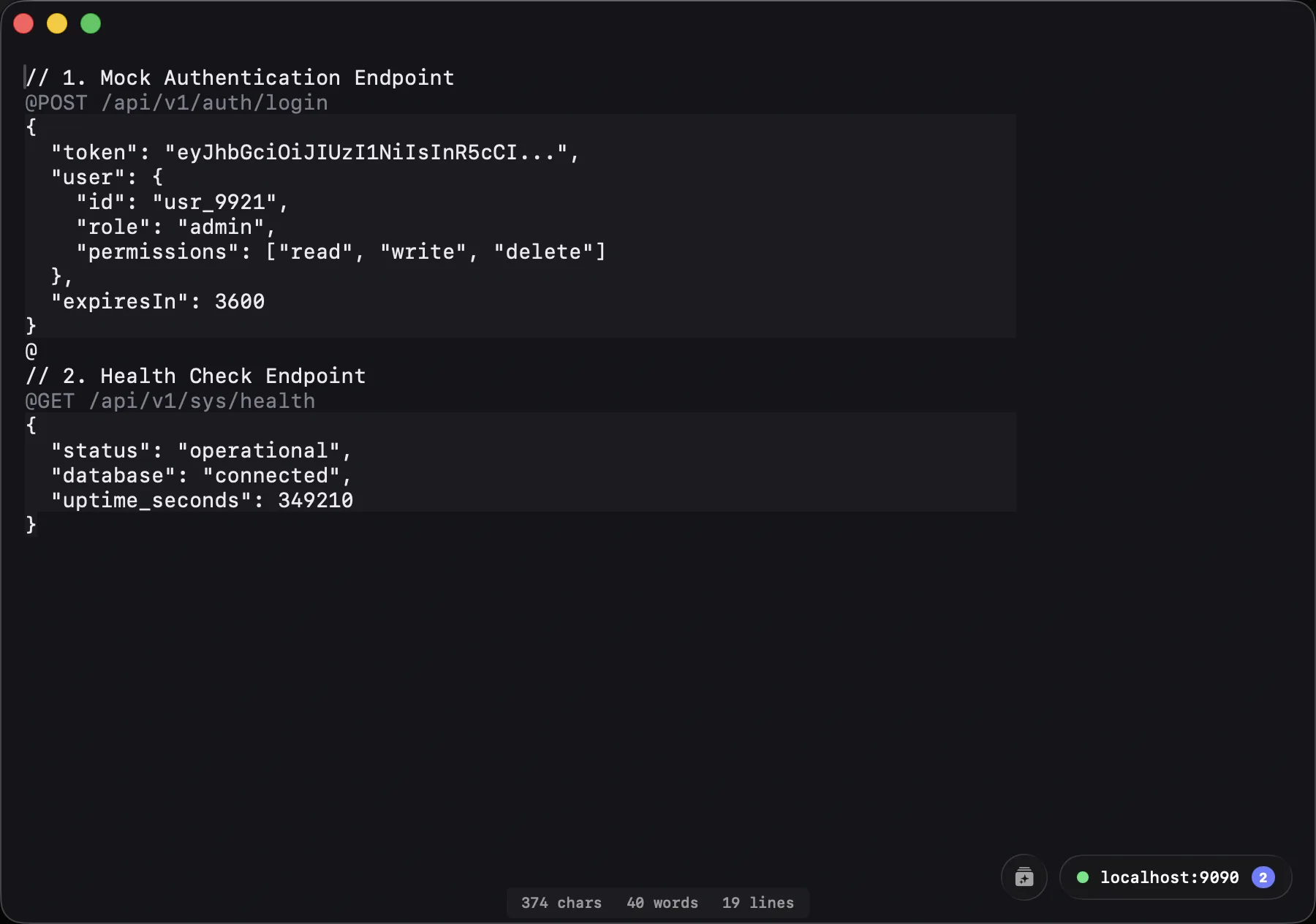
Host local endpoints for your frontend to fetch data from.

Ghost Gutter

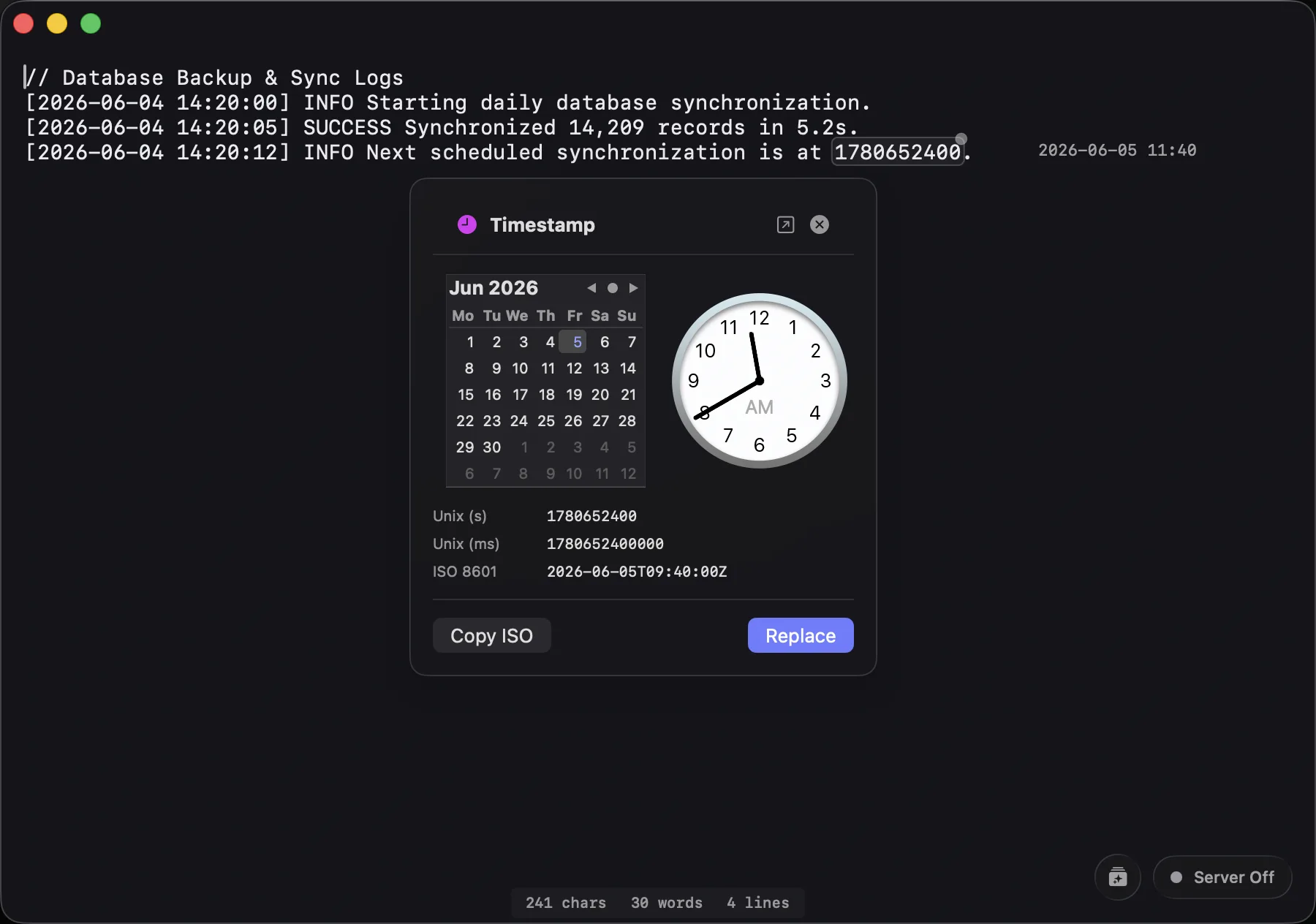
The gutter isn't just for line numbers. It actively scans your text to detect and evaluate math equations, epoch timestamps, dates, hex colors, JWT tokens, and Base64 strings, rendering the results instantly.

Inspectors

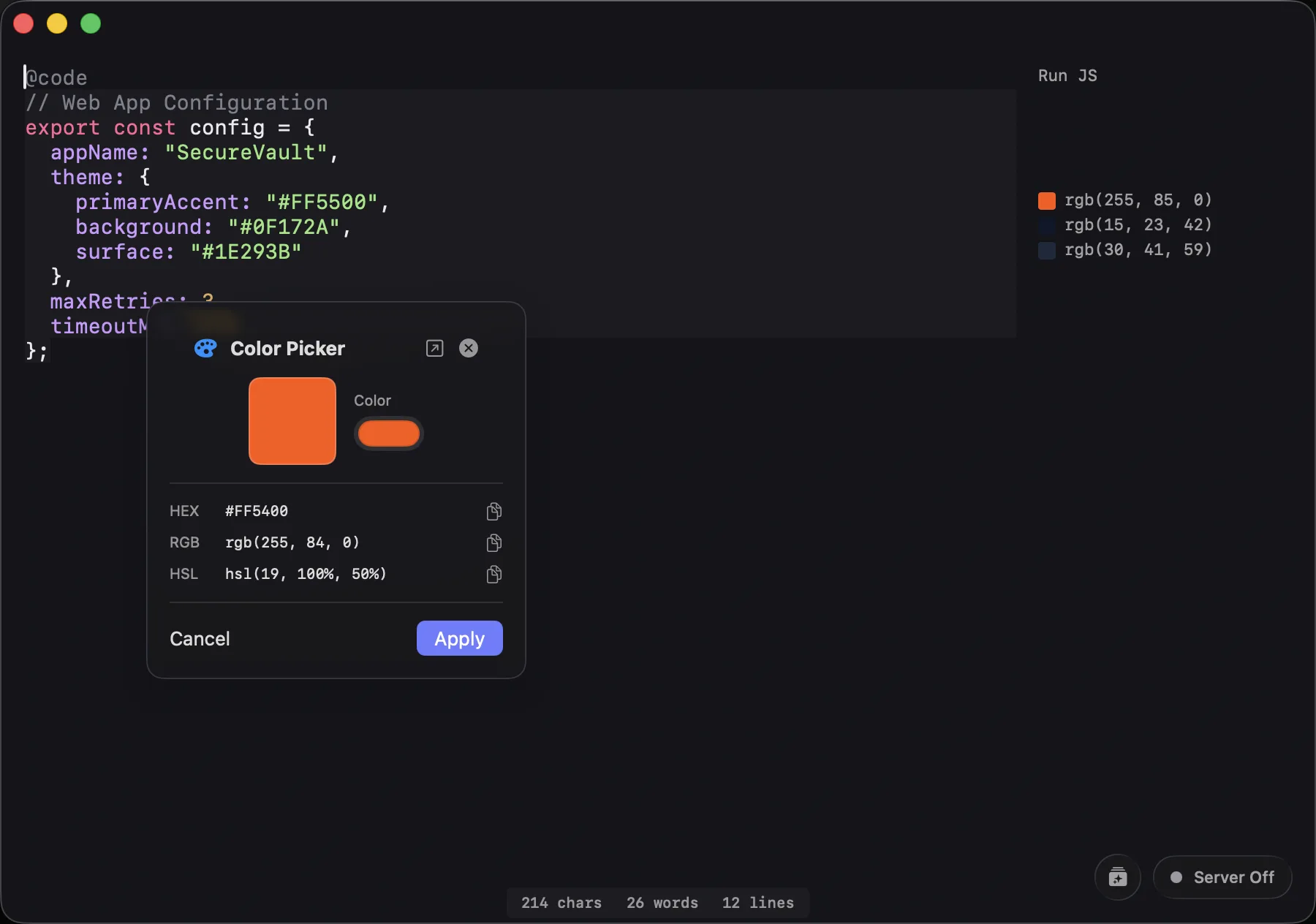
Selecting text opens dedicated popover tools. Pick a color to see its hex/RGB/HSL values, select a date to open a calendar view, inspect a JWT's decoded payload, or view step-by-step math solutions.

Commands (/) & Rapidool Bar

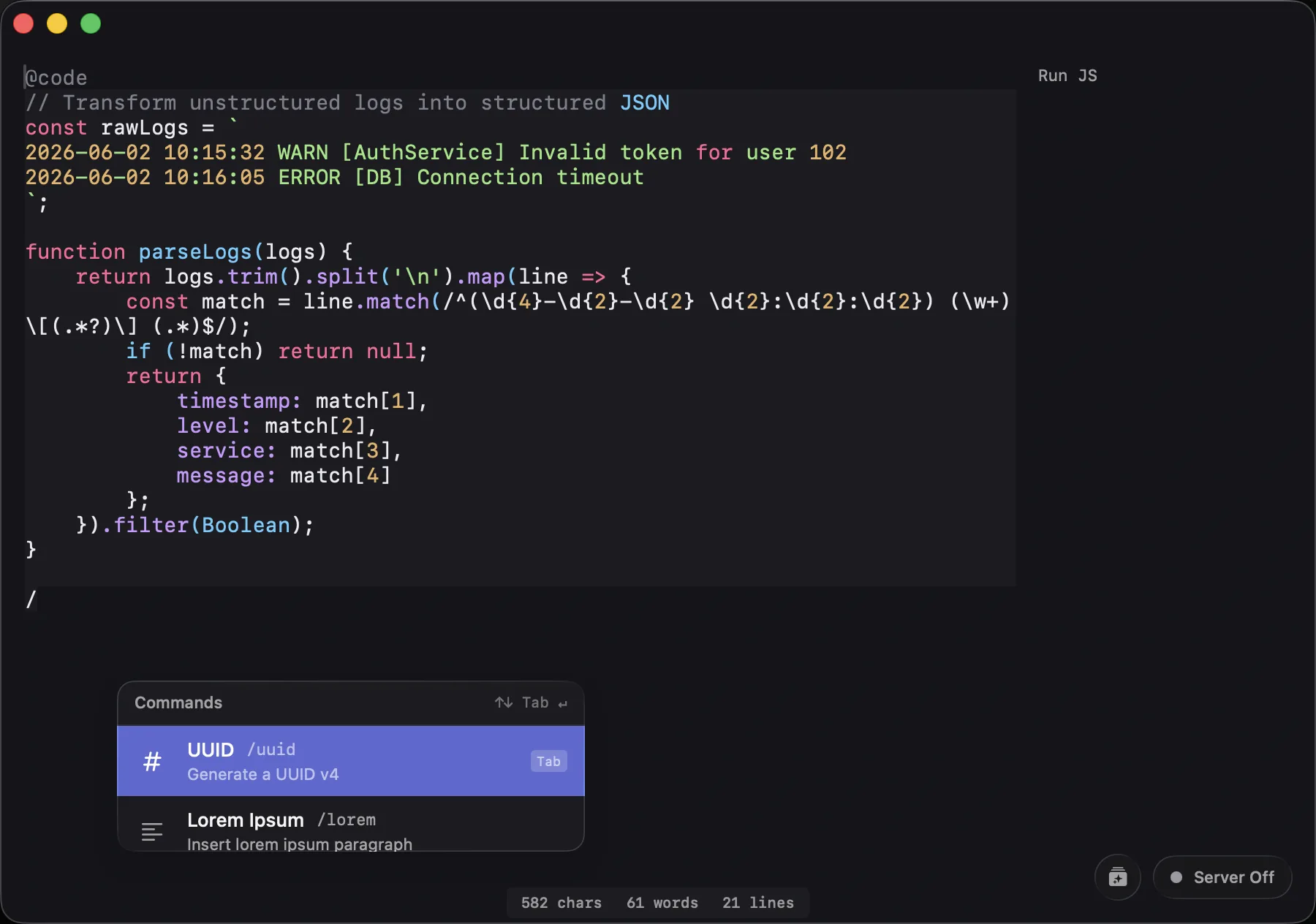
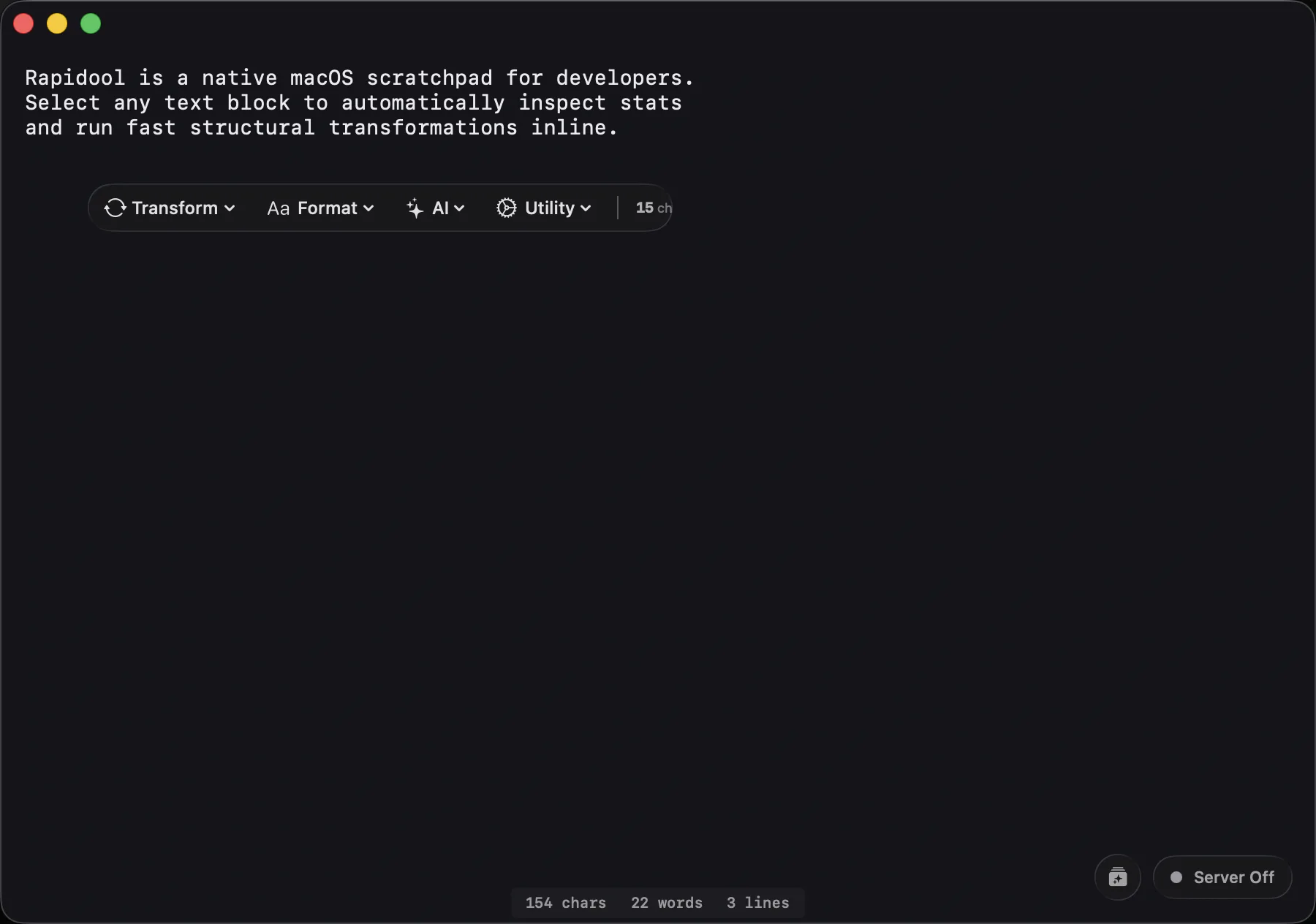
Type / inline to summon generators (like /uuid or /gen for local AI). Or press Cmd+Shift+Space anywhere in macOS to drop down the floating Rapidool Bar and run commands on copied text instantly.

Pragmatic Developer Sandbox

No web latency. No cloud account requirements. Just a native, local-first workspace for raw text, formatting, and computational tools.

Smart surface with rich features Ghost Gutter evaluation displaying math and date parses Native Command Bar menu Inline Regular Expression parser HTML Live Sandbox render side panel Background Mock HTTP API server host details Gutter swatches and custom visual color selector Floating Selection Pill UI details AI Integration via local Ollama models

Built for Developer Workflows

Process Data Instantly

Paste a raw JSON payload from your API. Instantly decode any JWT tokens using the Inspector, auto-format the JSON with a quick Command Bar action, and write a quick @code JS block to extract specific fields—all without leaving the editor or opening a browser tab.

Formatting JSON and decoding JWTs inline

Build UIs with Live Feedback

Drafting a UI component? Drop your HTML and CSS into an @html section and preview it immediately in the side panel. Spot a color you want to change? Click the hex code to open the Color Inspector, visually pick a new hue, and copy its HSL value.

Visual color inspector and HTML sandbox preview

Mock APIs for Frontend Dev

Testing a mobile app's fetch logic but the backend isn't ready? Paste your desired JSON response, prepend it with @GET /api/users, and Rapidool instantly spins up a local server on port 9090 serving that data. No deployment required.

Mocking an API endpoint locally

Write Code with Local AI

Need to generate boilerplate or transform unstructured data? Type /gen to stream AI code writing directly into your active scratchpad character-by-character. Powered by your local Ollama instance, meaning your proprietary code and API keys never leave your machine.

AI text generation powered by local Ollama server

All Features at a Glance

Sections (@)

  • @code for native JS execution
  • @html for live UI previews
  • @regex with match highlighting
  • @diff for comparing text blocks
  • @GET / POST for Mock API servers

Inspectors & Gutter

  • Visual Color Picker & Conversions
  • JWT Token Decoder
  • Epoch Date Calendar Explorer
  • Math Step-by-Step Solver
  • Base64 Decode & File Preview

System & Architecture

  • 100% Offline, Local-First Engine
  • Global Floating Rapidool Bar
  • Local Ollama AI Integration
  • Custom Script/Command Support
  • Native macOS UI

Frequently Asked Questions

Yes. Rapidool is designed local-first. Text scanning, math evaluation, JS runtimes, formatting, and mock HTTP routing run 100% on your local macOS machine. No server syncing or telemetry is used (unless you point it to a remote Ollama server for AI prompts).

You can define mock endpoints using supported HTTP methods (GET and POST) and custom route paths (e.g., @GET /api/v1/users or @POST /auth/login) directly inside your document. Simply paste or write your mock JSON response (or HTML, XML, etc.) immediately below the route line. Rapidool serves these endpoints locally on port 9090, meaning your active web browser, curl command, or mobile client can query http://localhost:9090/api/v1/users instantly. Toggling the local server takes just one click in the editor HUD.

Yes. Rapidool scans the ~/.rapidool/scripts folder for JS files. Any script added there automatically behaves as a command in the Command Bar (e.g. /myCustomFormatter), transforming document text and returning output directly inline.

Rapidool integrates exclusively with Ollama as the AI provider. You can point it to your local Ollama instance (or a custom Ollama endpoint) to run models like Llama, Mistral, or Gemma. Since Ollama runs models locally on your machine, your code prompts and text data remain 100% private and never leave your device.

Rapidool is available on the macOS App Store with a 7-day free trial. After the trial, you can choose between a monthly subscription or a lifetime purchase option. It requires macOS 13 or later.

The Rapidool Newsletter

Stay up to date. Get advanced scripting examples, productivity tips, and release notes for new Rapidool capabilities.
