
Home Apps Blog
Rapidool Icon

Rapidool

A native developer toolbox with dozens of everyday utilities in one fast workspace

An offline developer scratchpad for macOS. Stop pasting sensitive JSON, JWTs, and regex into random websites. Format, decode, and test APIs locally.

macOS Native Local-First Zero Friction
Coming Soon Explore Features

7-day free trial · 100% offline privacy · macOS 13+

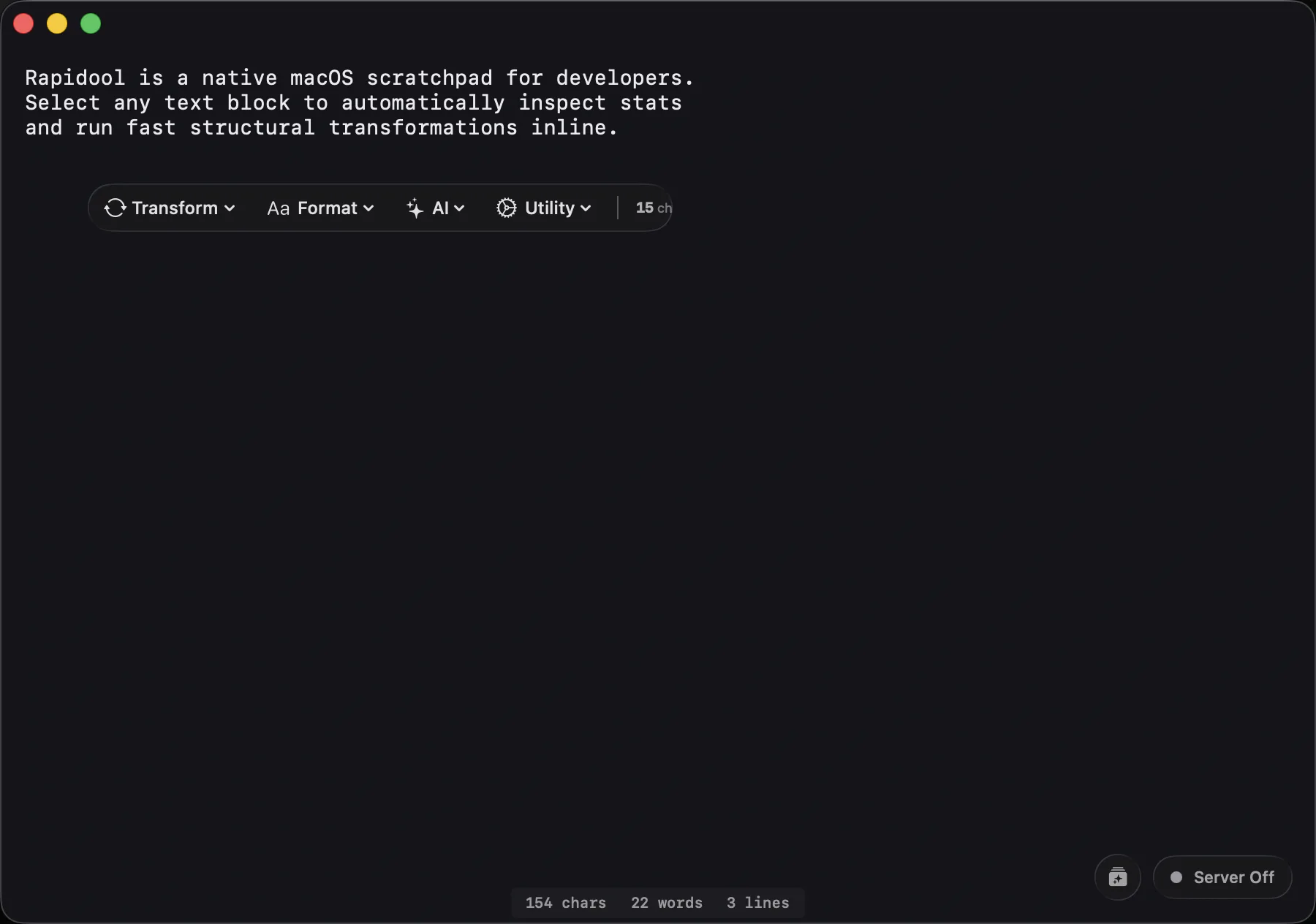
Rapidool Smart Editor Interface

Everyday Utilities

Stop switching between utility websites. 100% local

Rapidool replaces your browser tabs with native tools that keep your data private and process text instantly.

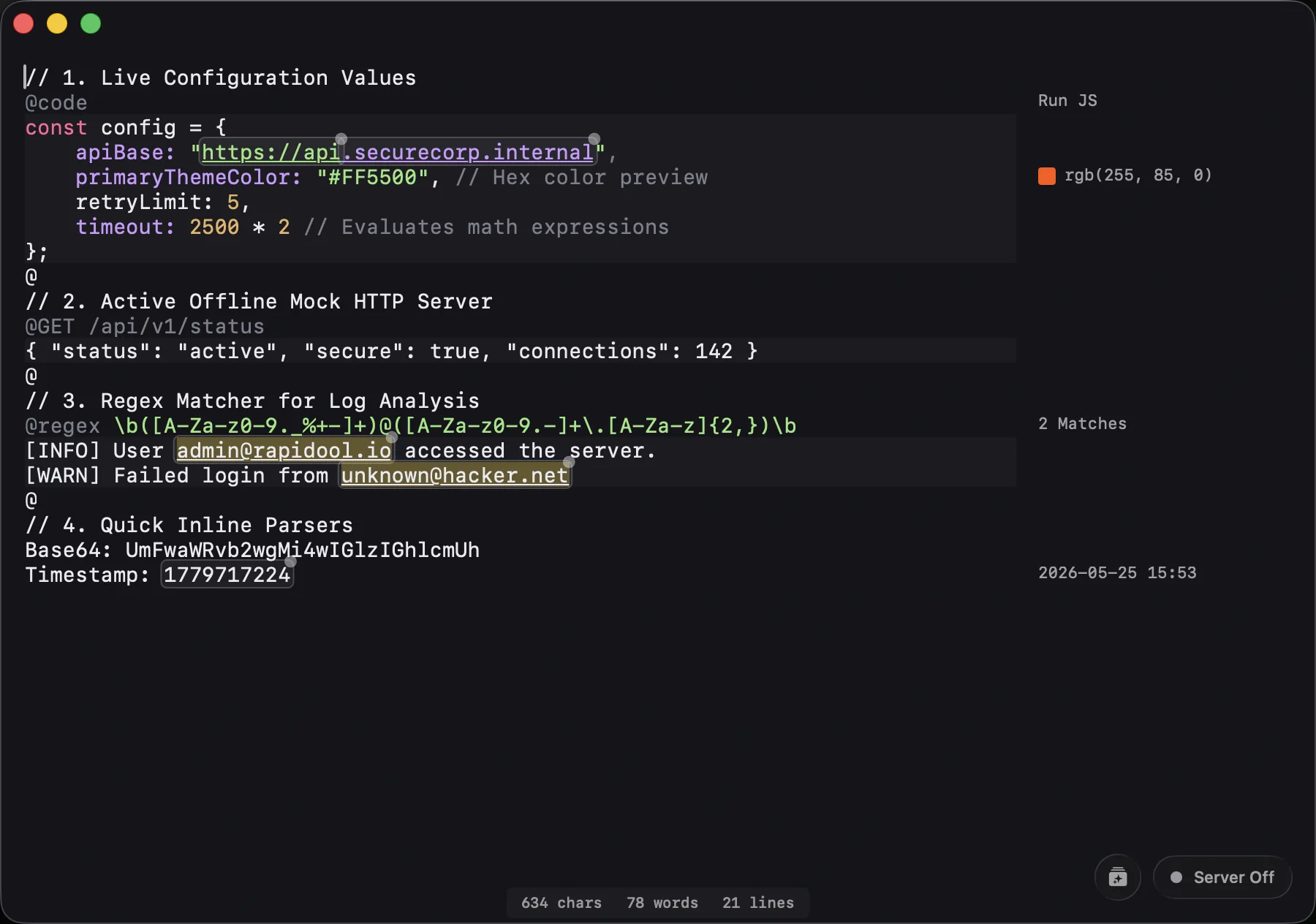
Working with APIs, Regex & Code

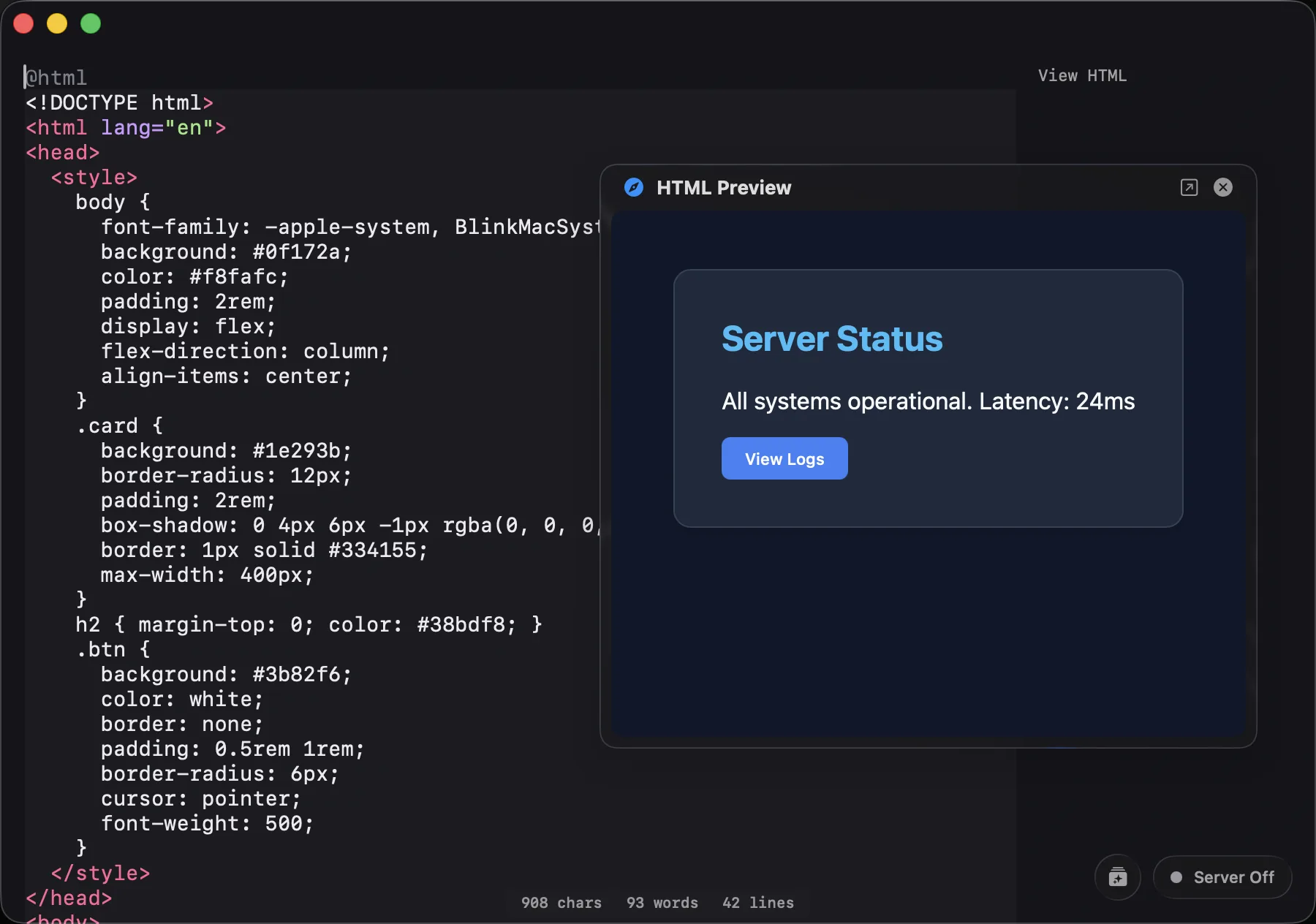
Instead of opening a slow web tool, prepend a block of text with @ to transform it into a dedicated environment.

@code / @html
Run JS scripts natively or render live HTML/CSS previews.
@diff
Compare any two diff sections within a file instantly.
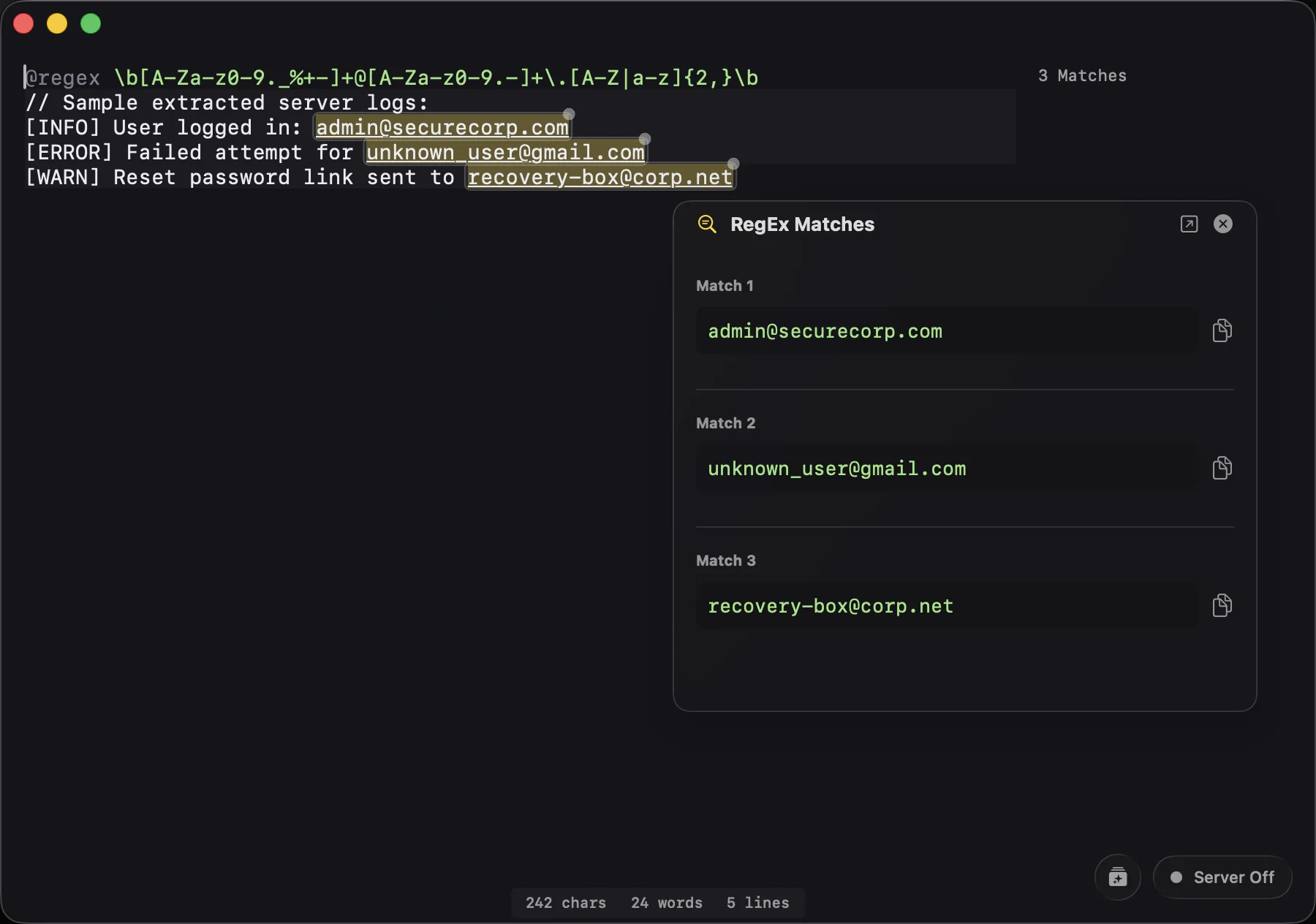
@regex
Test regular expressions with real-time match highlighting.
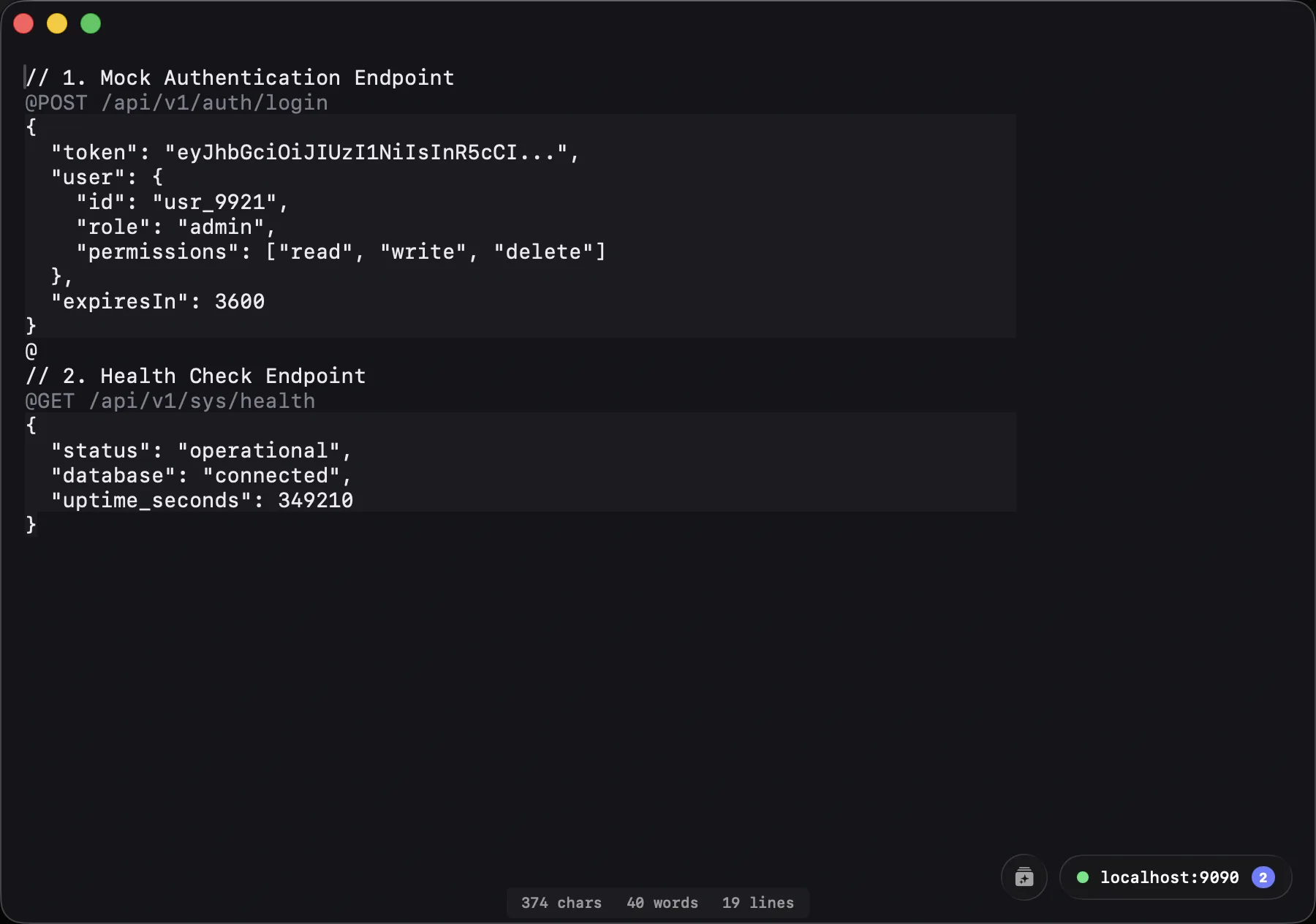
@GET / Mock APIs
Host local endpoints for your frontend to fetch data from.

Working with Dates & Math

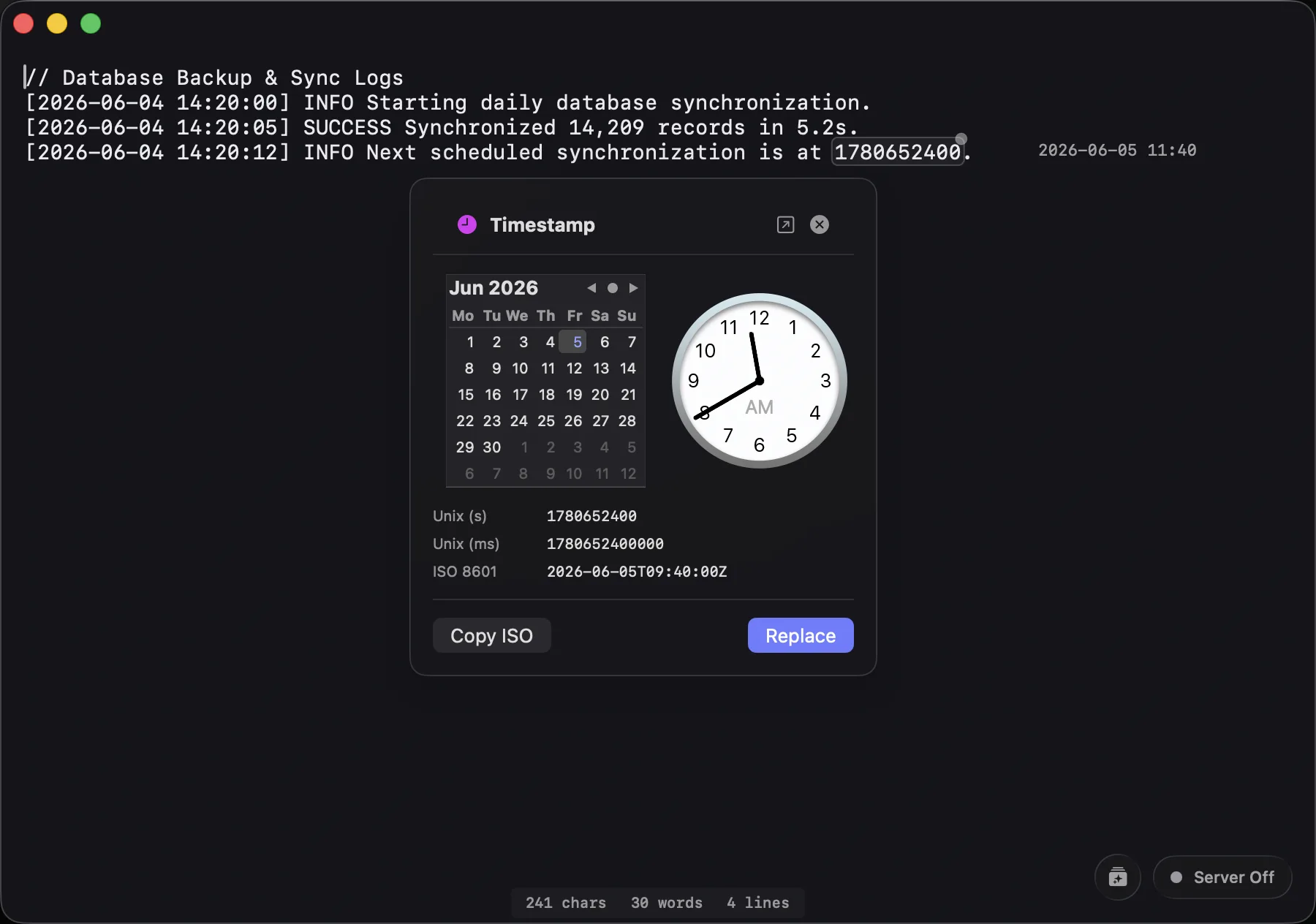
Developers constantly evaluate timestamps and quick math. The gutter actively scans your text to evaluate equations, epoch timestamps, dates, and Base64 strings, rendering the results instantly without an external calculator.

Working with Colors & Encoding

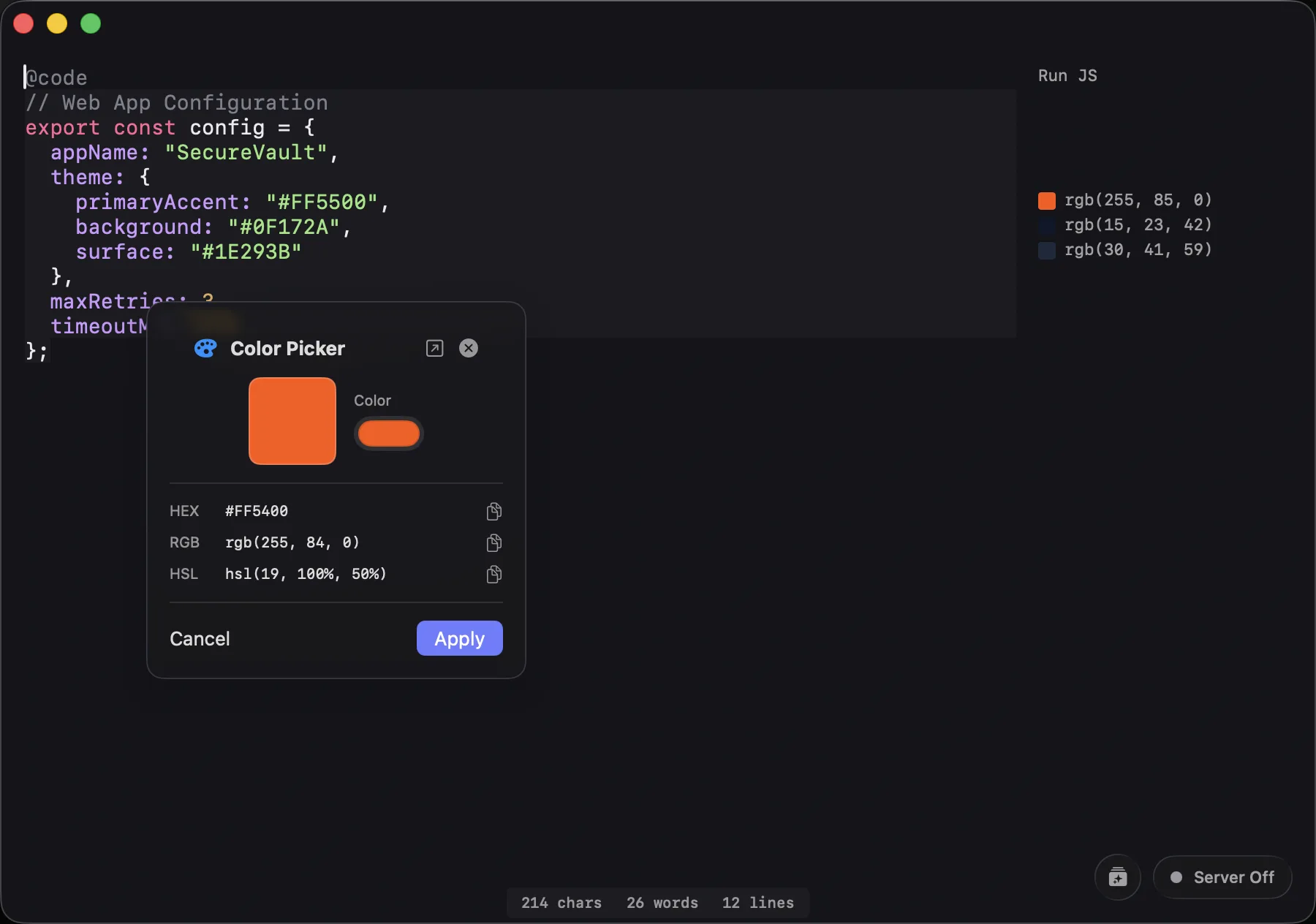
Selecting text opens dedicated popover tools. Pick a color to see its hex/RGB/HSL values, select a date to open a calendar view, or inspect a JWT's decoded payload safely on your machine.

Working with JSON & UUIDs

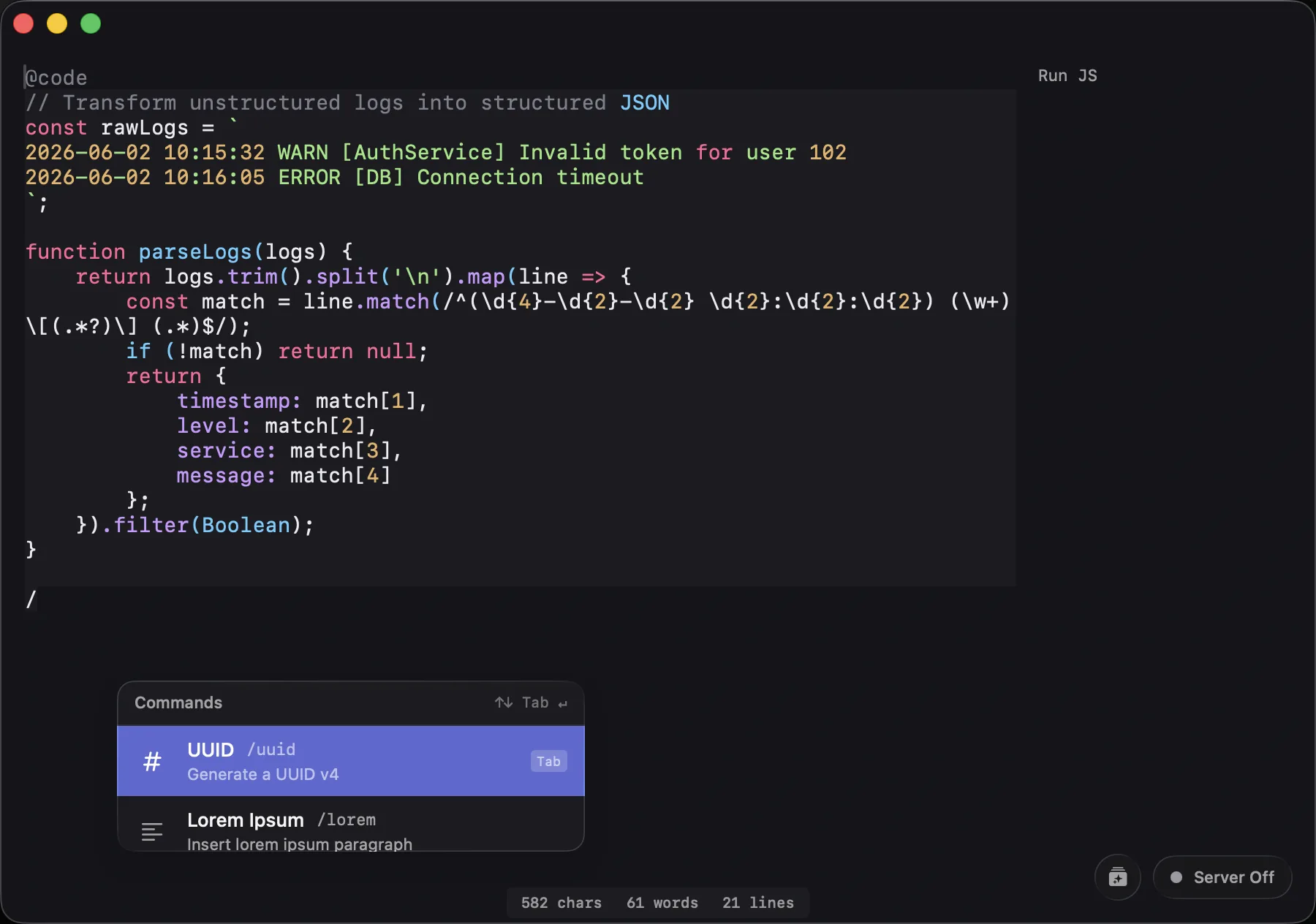
Format JSON instantly without pasting your payload into a random ad-supported formatter website. Press Cmd+Shift+Space anywhere in macOS to drop down the Rapidool Bar and run generators like /uuid or JSON formatters on your clipboard.

Pragmatic Developer Sandbox

No web latency. No cloud account requirements. Just a native, local-first workspace for raw text, formatting, and computational tools.

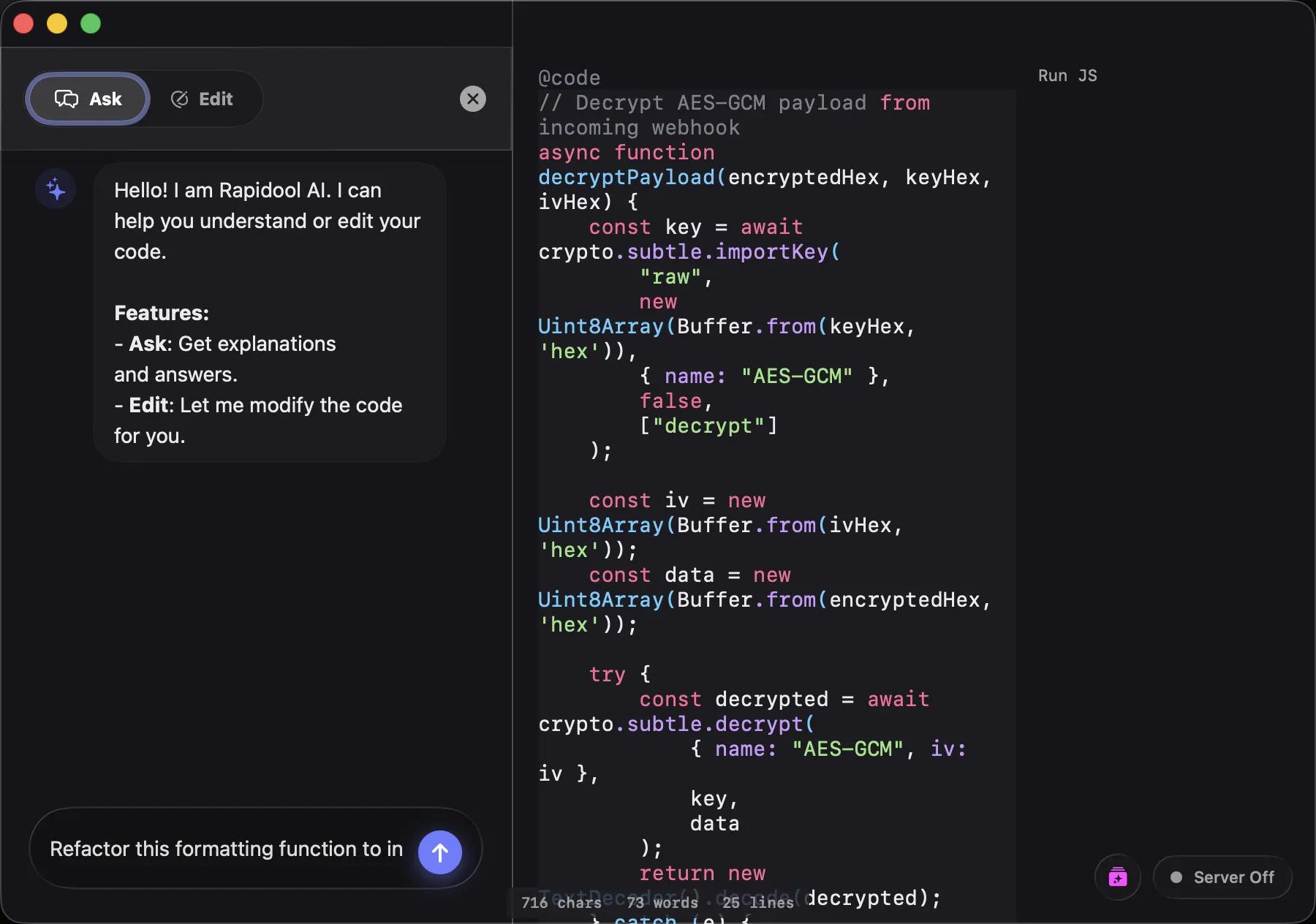
Smart surface with rich features Ghost Gutter evaluation displaying math and date parses Native Command Bar menu Inline Regular Expression parser HTML Live Sandbox render side panel Background Mock HTTP API server host details Gutter swatches and custom visual color selector Floating Selection Pill UI details AI Integration via local Ollama models

Built for Developer Workflows

Process Data Instantly

Paste a raw JSON payload from your API. Instantly decode any JWT tokens using the Inspector, auto-format the JSON with a quick Command Bar action, and write a quick @code JS block to extract specific fields—all without leaving the editor or opening a browser tab.

Formatting JSON and decoding JWTs inline

Build UIs with Live Feedback

Drafting a UI component? Drop your HTML and CSS into an @html section and preview it immediately in the side panel. Spot a color you want to change? Click the hex code to open the Color Inspector, visually pick a new hue, and copy its HSL value.

Visual color inspector and HTML sandbox preview

Mock APIs for Frontend Dev

Testing a mobile app's fetch logic but the backend isn't ready? Paste your desired JSON response, prepend it with @GET /api/users, and Rapidool instantly spins up a local server on port 9090 serving that data. No deployment required.

Mocking an API endpoint locally

Write Code with Local AI

Need to generate boilerplate or transform unstructured data? Type /gen to stream AI code writing directly into your active scratchpad character-by-character. Powered by your local Ollama instance, meaning your proprietary code and API keys never leave your machine.

AI text generation powered by local Ollama server

All Features at a Glance

Sections (@)

  • @code for native JS execution
  • @html for live UI previews
  • @regex with match highlighting
  • @diff for comparing text blocks
  • @GET / POST for Mock API servers

Inspectors & Gutter

  • Visual Color Picker & Conversions
  • JWT Token Decoder
  • Epoch Date Calendar Explorer
  • Math Step-by-Step Solver
  • Base64 Decode & File Preview

System & Architecture

  • 100% Offline, Local-First Engine
  • Global Floating Rapidool Bar
  • Local Ollama AI Integration
  • Custom Script/Command Support
  • Native macOS UI
Use Cases

Developer Workflows

Frequently Asked Questions

A local developer toolbox keeps your sensitive data (like API keys, customer JSON payloads, and proprietary code) off third-party servers. It's also much faster than opening a browser tab, finding a site, and dealing with ads or latency.

Yes. Rapidool replaces dozens of single-purpose websites for JSON formatting, JWT decoding, Base64 encoding, epoch time conversion, and regex testing by bringing them all into one native macOS app.

No. Rapidool is designed local-first. Text scanning, math evaluation, JS runtimes, formatting, and mock HTTP routing run 100% on your local macOS machine. No server syncing or telemetry is used (unless you point it to a remote Ollama server for AI prompts).

Yes. You can define mock endpoints using supported HTTP methods and custom route paths (e.g., @GET /api/v1/users) directly inside your document. Rapidool serves these endpoints locally on port 9090, meaning your active web browser, curl command, or mobile client can query them instantly without spinning up a real backend.

Yes. By creating an @regex section, you can test regular expressions with real-time match highlighting against your sample text directly in the editor.

Yes. Rapidool scans the ~/.rapidool/scripts folder for JS files. Any script added there automatically behaves as a command in the Command Bar (e.g. /myCustomFormatter), transforming document text and returning output directly inline.

Rapidool integrates exclusively with Ollama as the AI provider. You can point it to your local Ollama instance (or a custom Ollama endpoint) to run models like Llama, Mistral, or Gemma. Since Ollama runs models locally on your machine, your code prompts and text data remain 100% private and never leave your device.

Rapidool is available on the macOS App Store with a 7-day free trial. After the trial, you can choose between a monthly subscription or a lifetime purchase option. It requires macOS 13 or later.

The Rapidool Newsletter

Stay up to date. Get advanced scripting examples, productivity tips, and release notes for new Rapidool capabilities.
