Resso Icon RESSO
An infrastructure inventory & asset manager.
For developers and indie hackers.
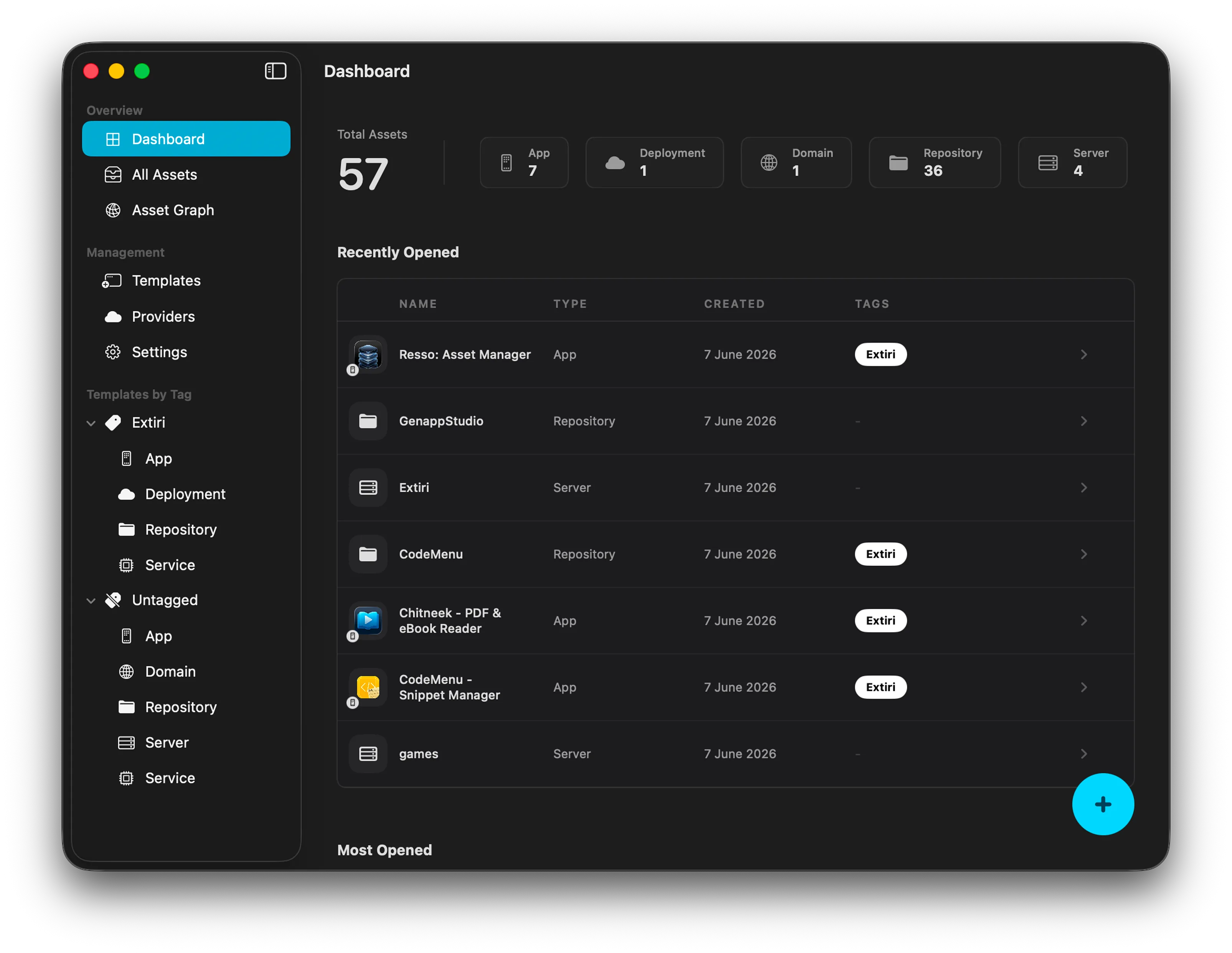
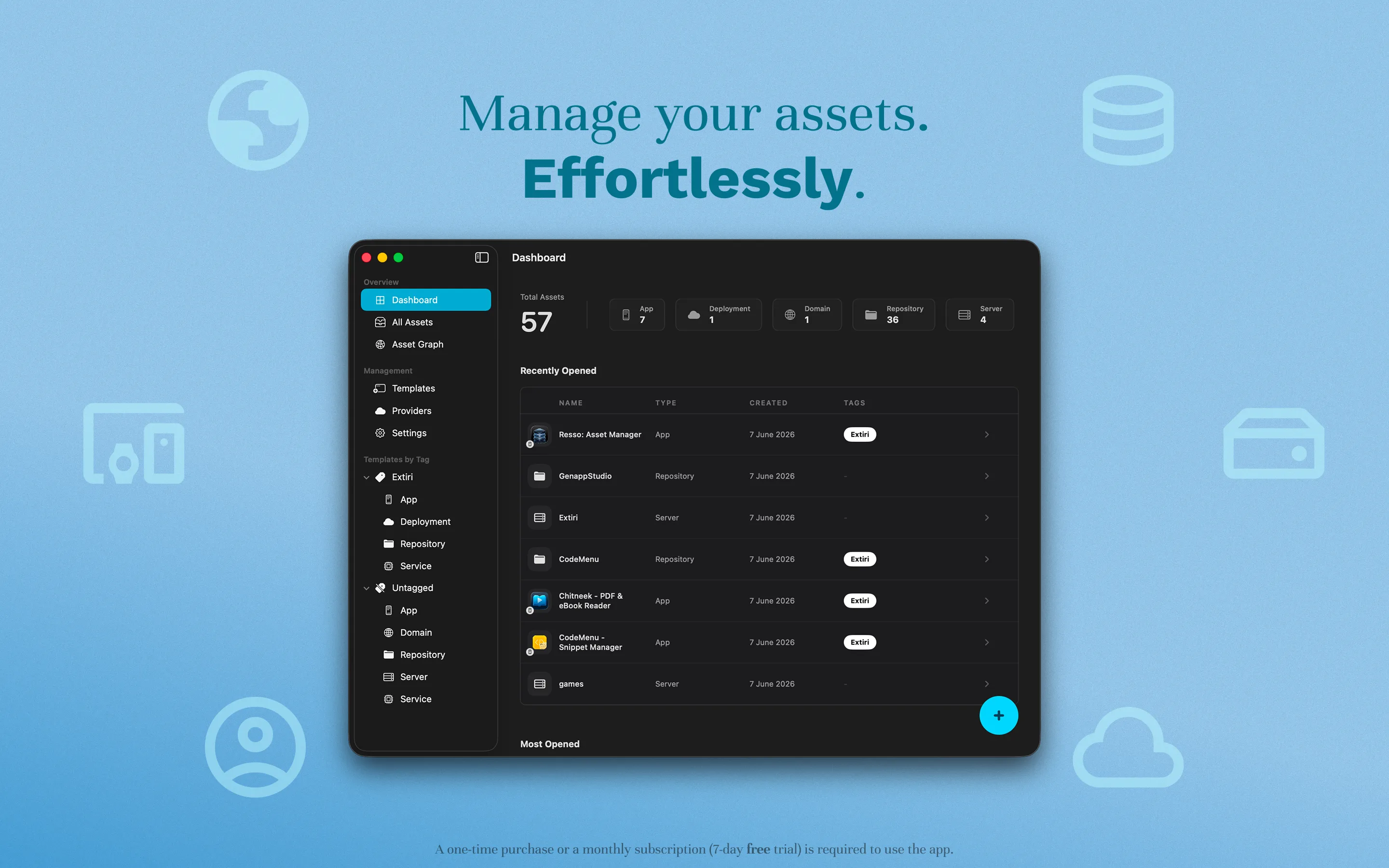
Resso Dashboard

iCloud Sync · Works Offline · macOS & iOS

Workspace

See your stack as a system, not a pile of notes

Resso keeps apps, servers, domains, accounts, certificates, and cloud resources in one searchable workspace. The goal is simple: know what exists, where it lives, and how it connects.

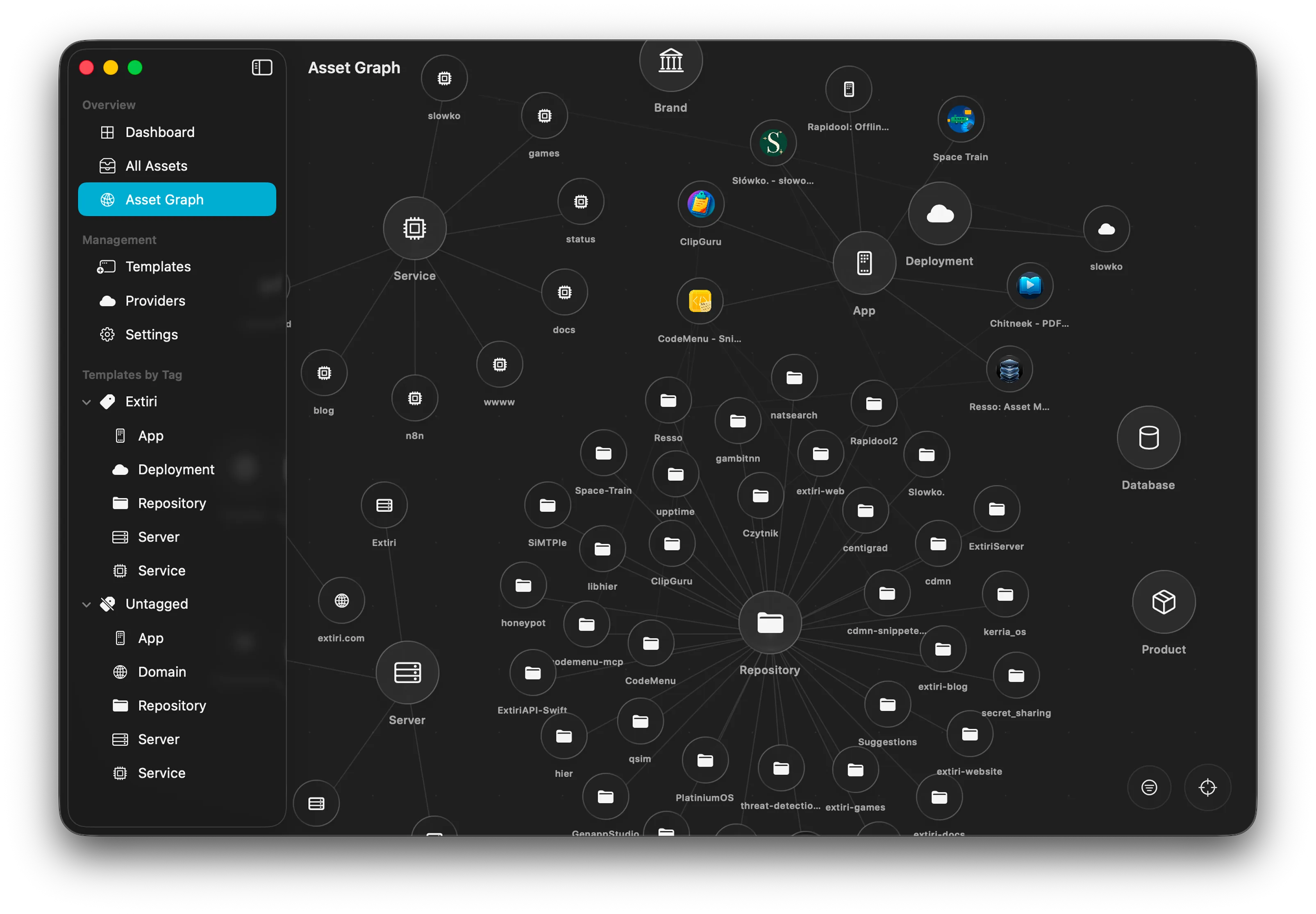
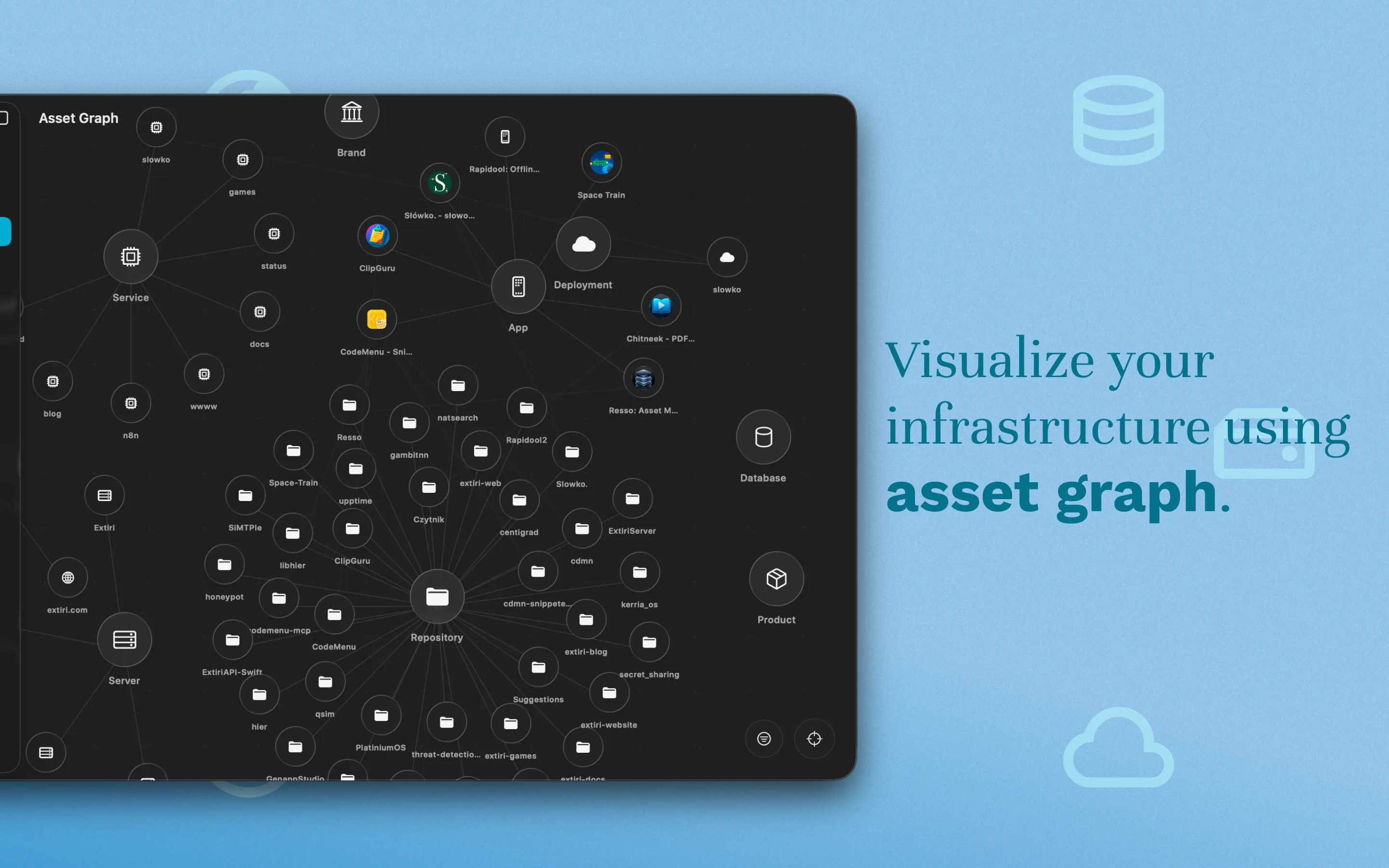
Map relationships between assets so a domain, VPS, database, and app stop feeling disconnected.
Sync external provider data from services such as App Store Connect, Oracle Cloud, Vercel, GitHub, Google Cloud, and Cloudflare.
Work locally and offline, with iCloud sync available across macOS and iOS.
Resso dashboard screenshot Resso asset list screenshot Resso asset details screenshot Resso relationship graph screenshot Resso template editor screenshot Resso filter screenshot Resso provider sync screenshot

Purposeful utility

Built for high-velocity shipping

Resso is for people who run multiple projects and need infrastructure context quickly: what is deployed, which account owns it, and what might need attention next.

Inventory

Know which domain points to which VPS

Keep server IPs, domain registrars, SaaS credentials, deployment URLs, and account notes in a single visual inventory instead of scattering them across emails and documents.

Group assets by project, provider, tag, or lifecycle.
Open the exact detail you need without re-building context.

Resso dashboard with grouped infrastructure assets

Connections

Manage VPS details without leaving your inventory

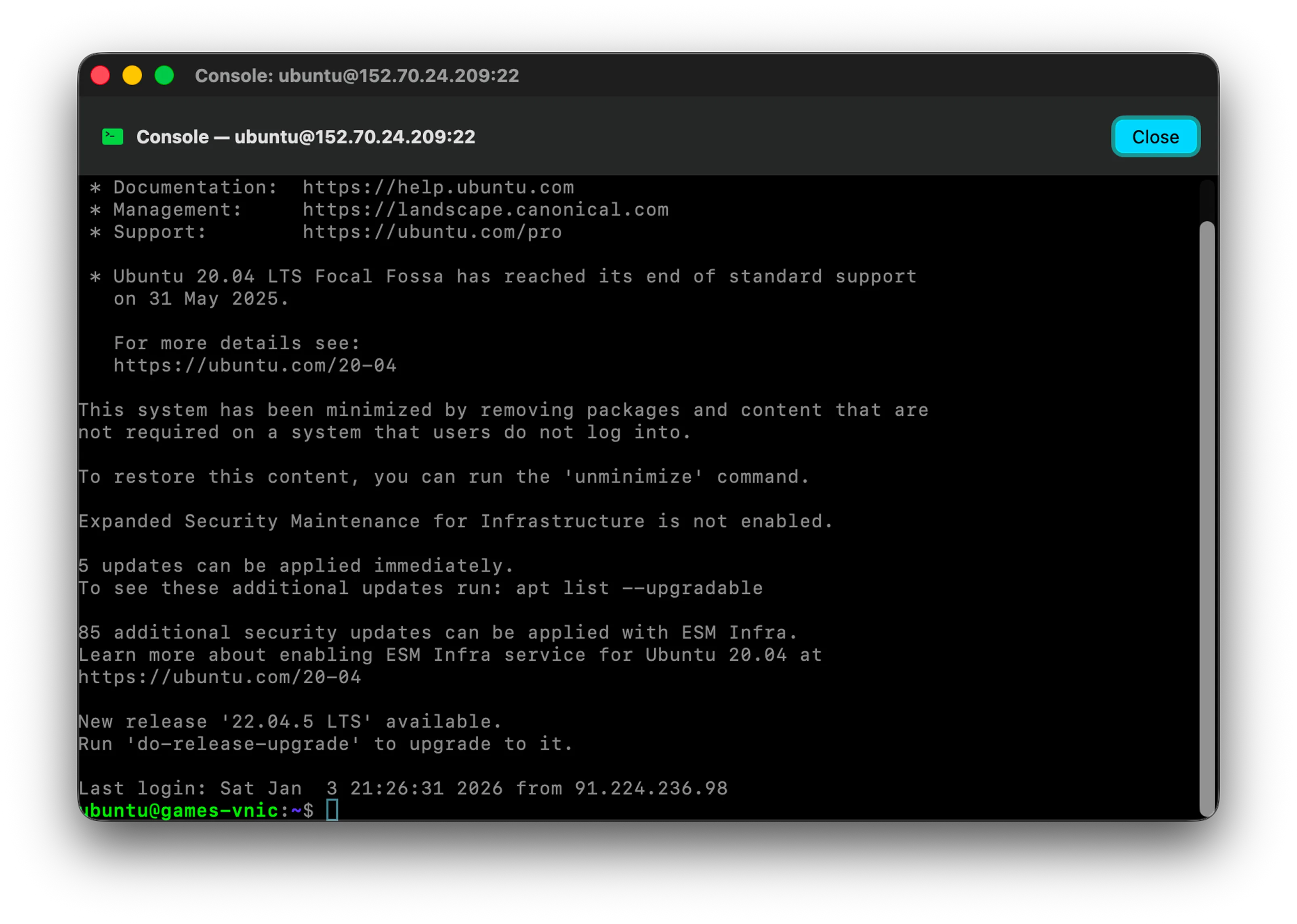
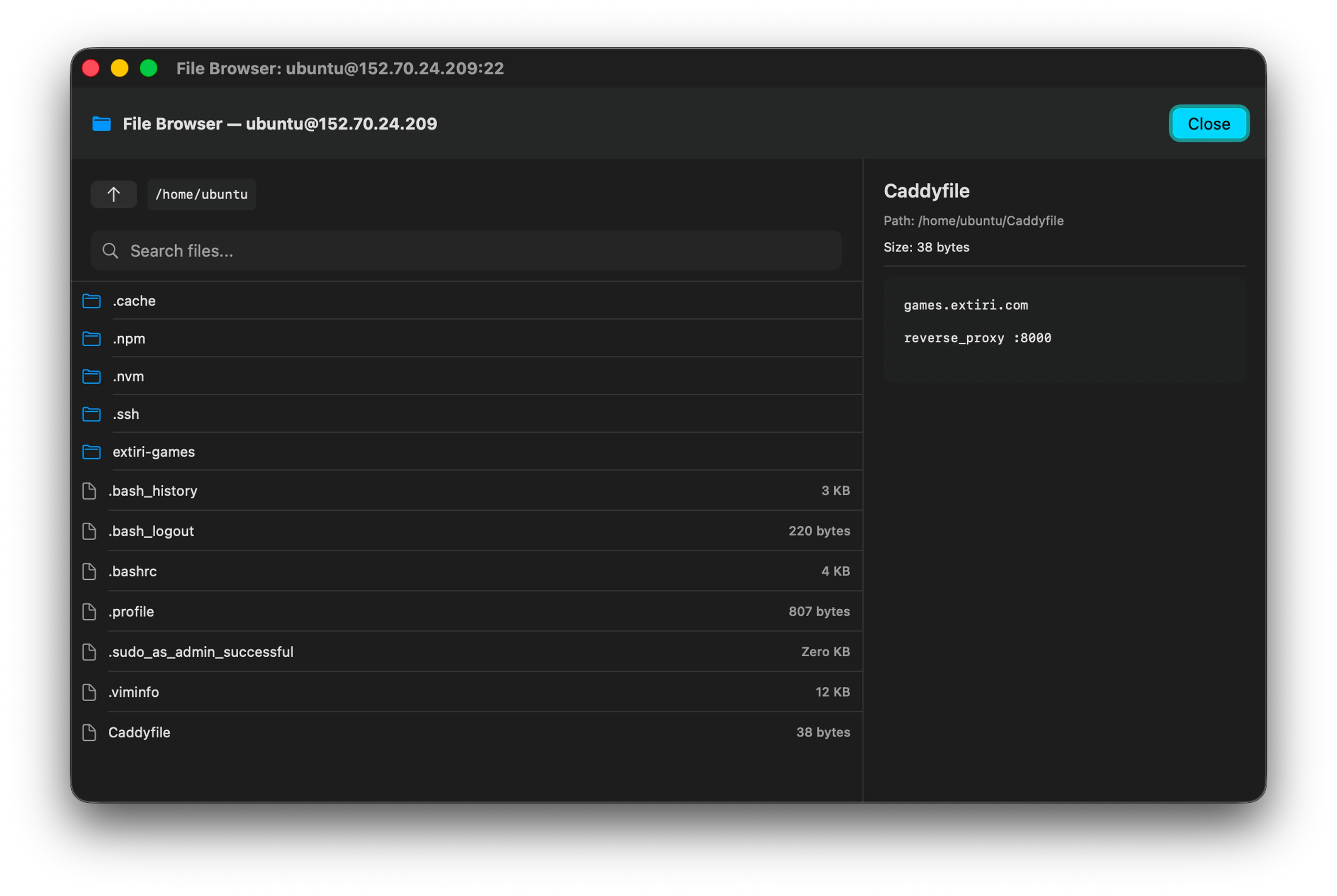
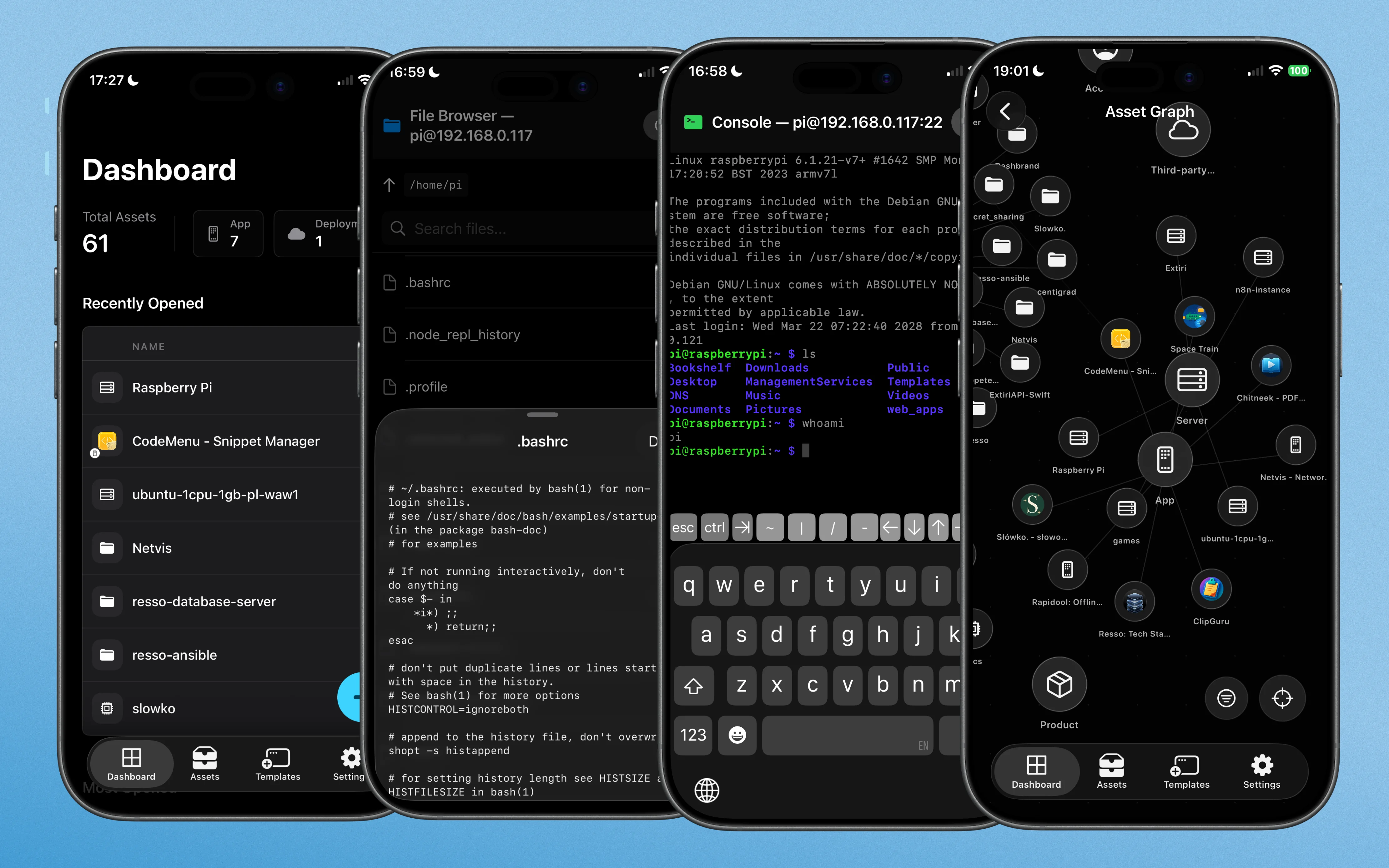
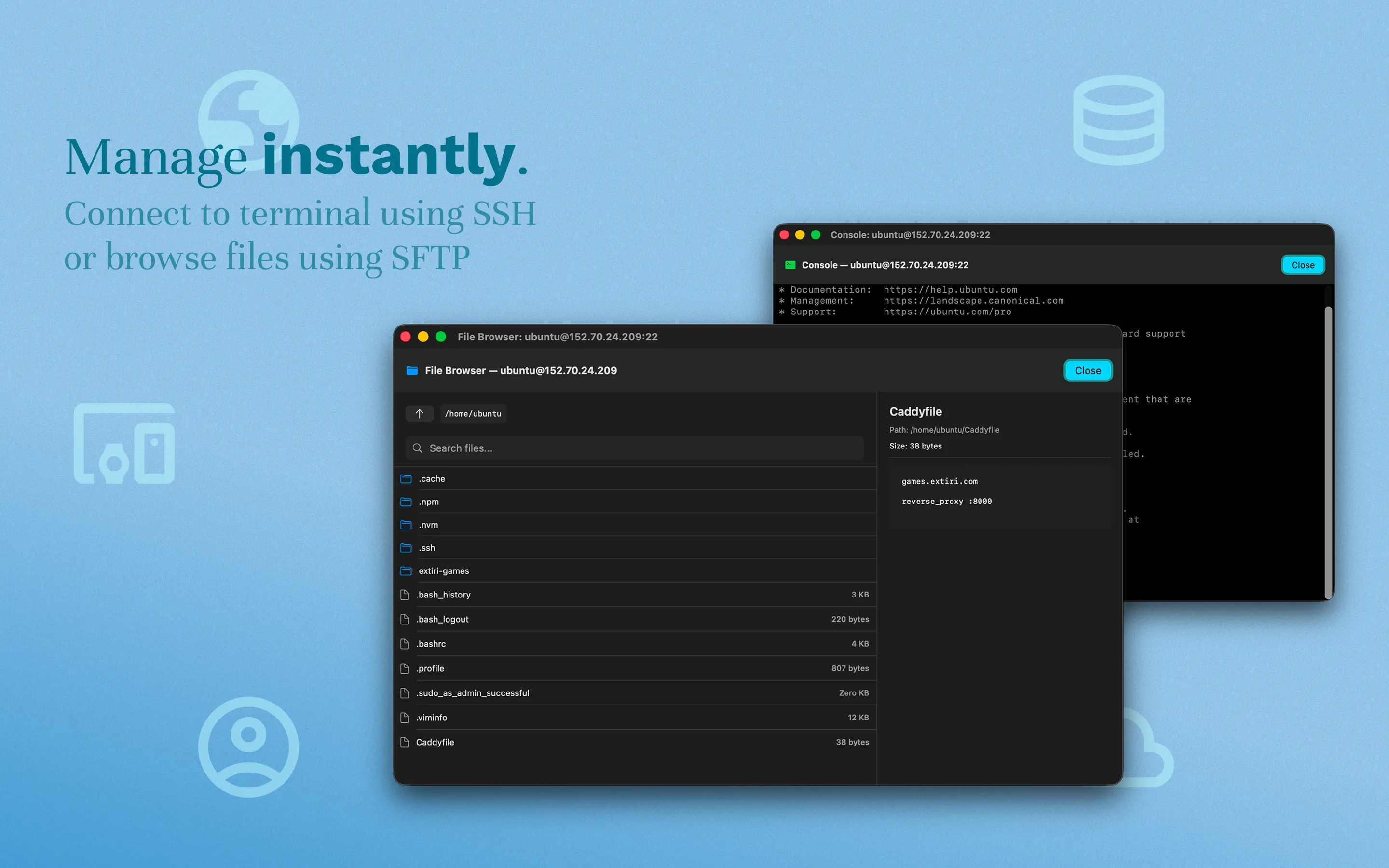
Define a connection property with SSH credentials, then document server details and open secure terminal sessions or browse files via SFTP from the same asset record.

Built-in SSH console for servers you already documented.
SFTP file browsing for operational checks.
SSH console inside Resso SFTP file browser inside Resso

Graph

Remember which project uses which database

Link staging environments to production databases, map domains to servers, and filter the relationship graph to pinpoint the part of your stack you are trying to understand.

Resso relationship graph visualization

Attention

Know when certificates and domains expire

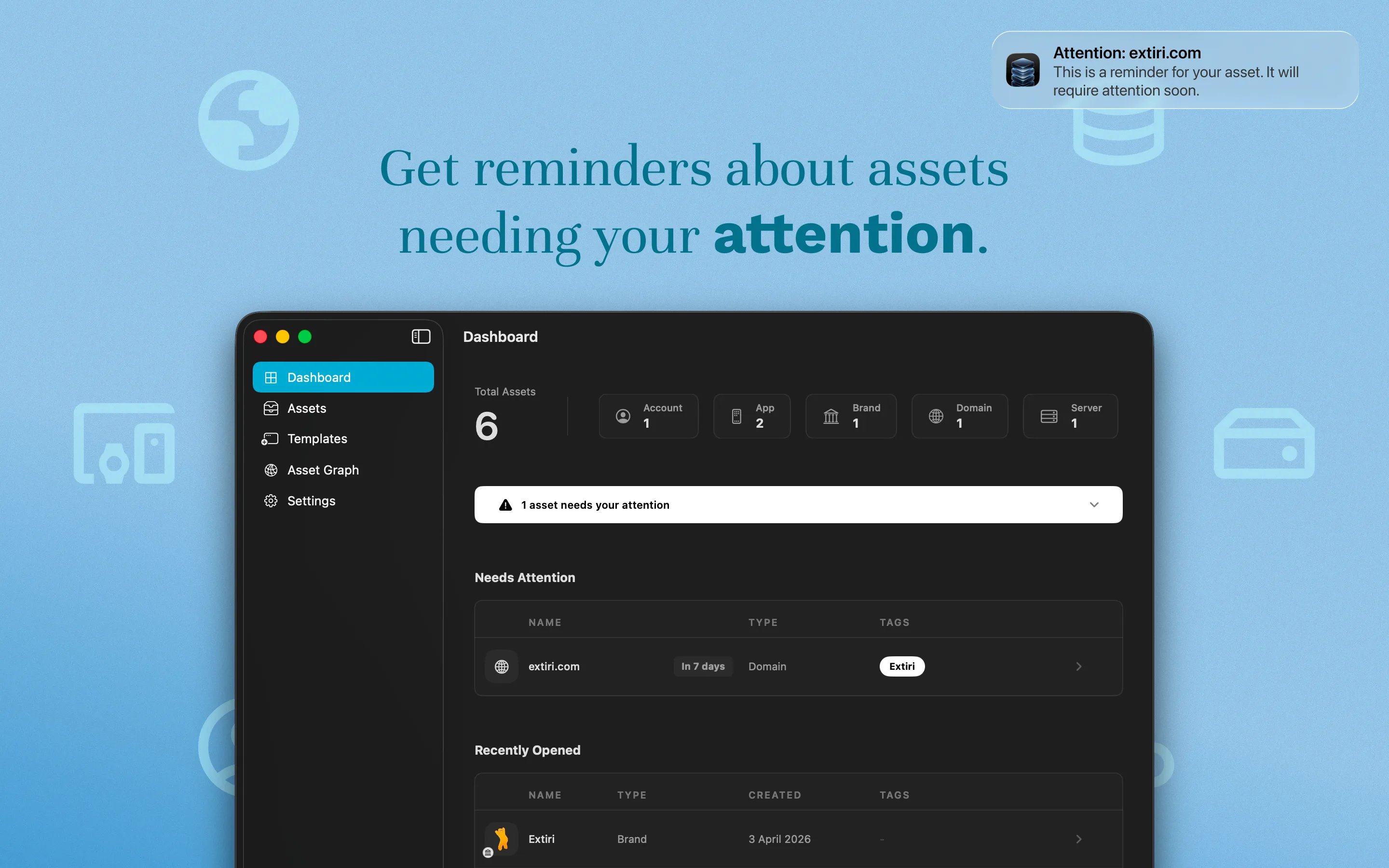
Resso surfaces infrastructure items that need attention, so renewals and expiring certificates are part of your daily dashboard instead of a surprise.

Needs Attention Today
api.example.comSSL certificate renewal
12 days
launch-site.ioDomain registrar renewal
23 days
oracle-prod-01Provider metadata changed
Review

Full ecosystem

Document your entire infrastructure

Track servers, domains, databases, cloud services, certificates, accounts, and infrastructure notes in one unified asset manager.

Servers

IPs, providers, SSH keys, connection details, and operational notes.

Domains

Registrars, DNS state, SSL details, expiry dates, and renewal context.

Apps

Environments, repositories, CI/CD links, deployment URLs, and owners.

Accounts

Cloud accounts, SaaS references, 2FA pointers, and subscriptions.

Custom

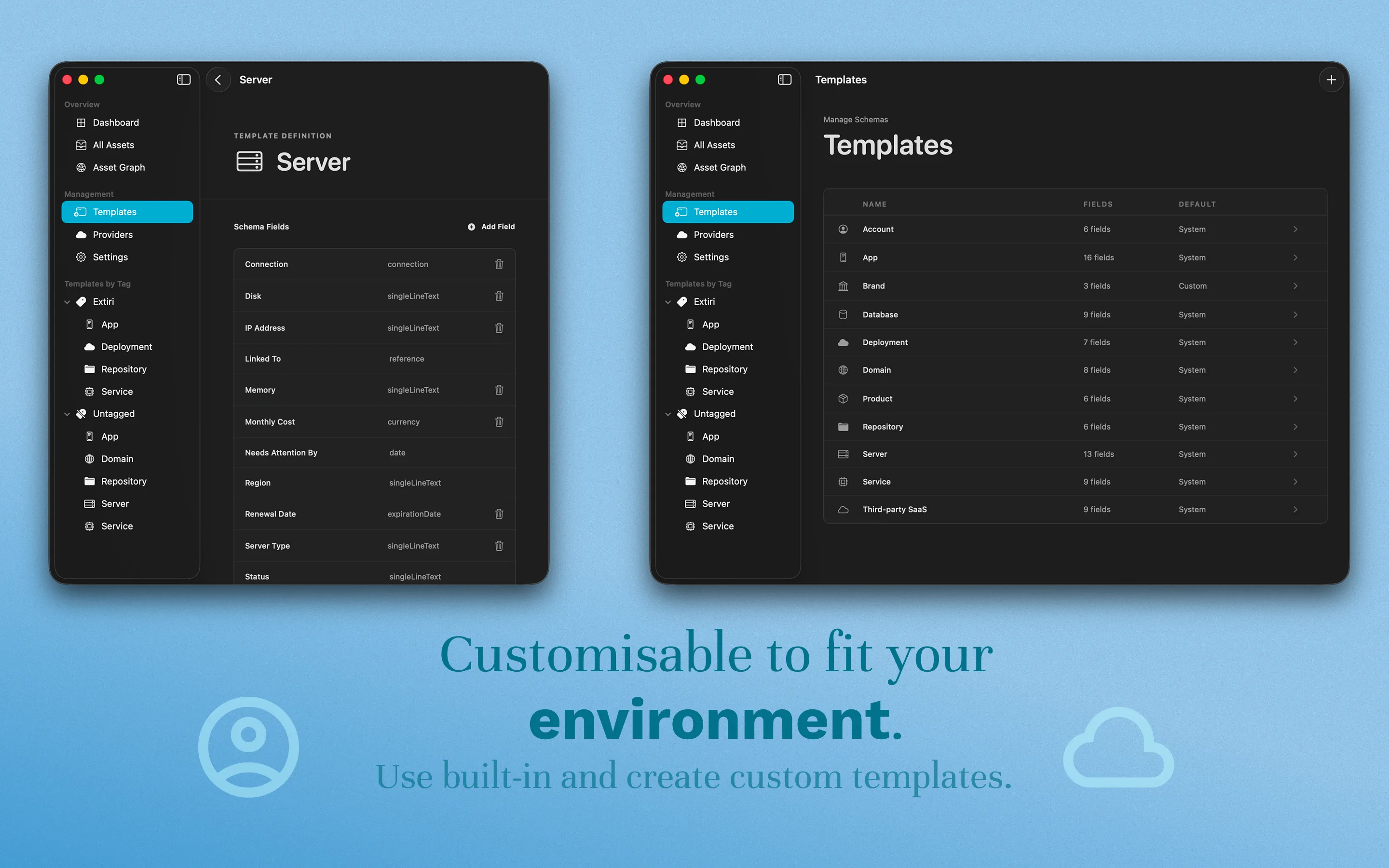
Define templates with files, encrypted files, connections, and raw notes.

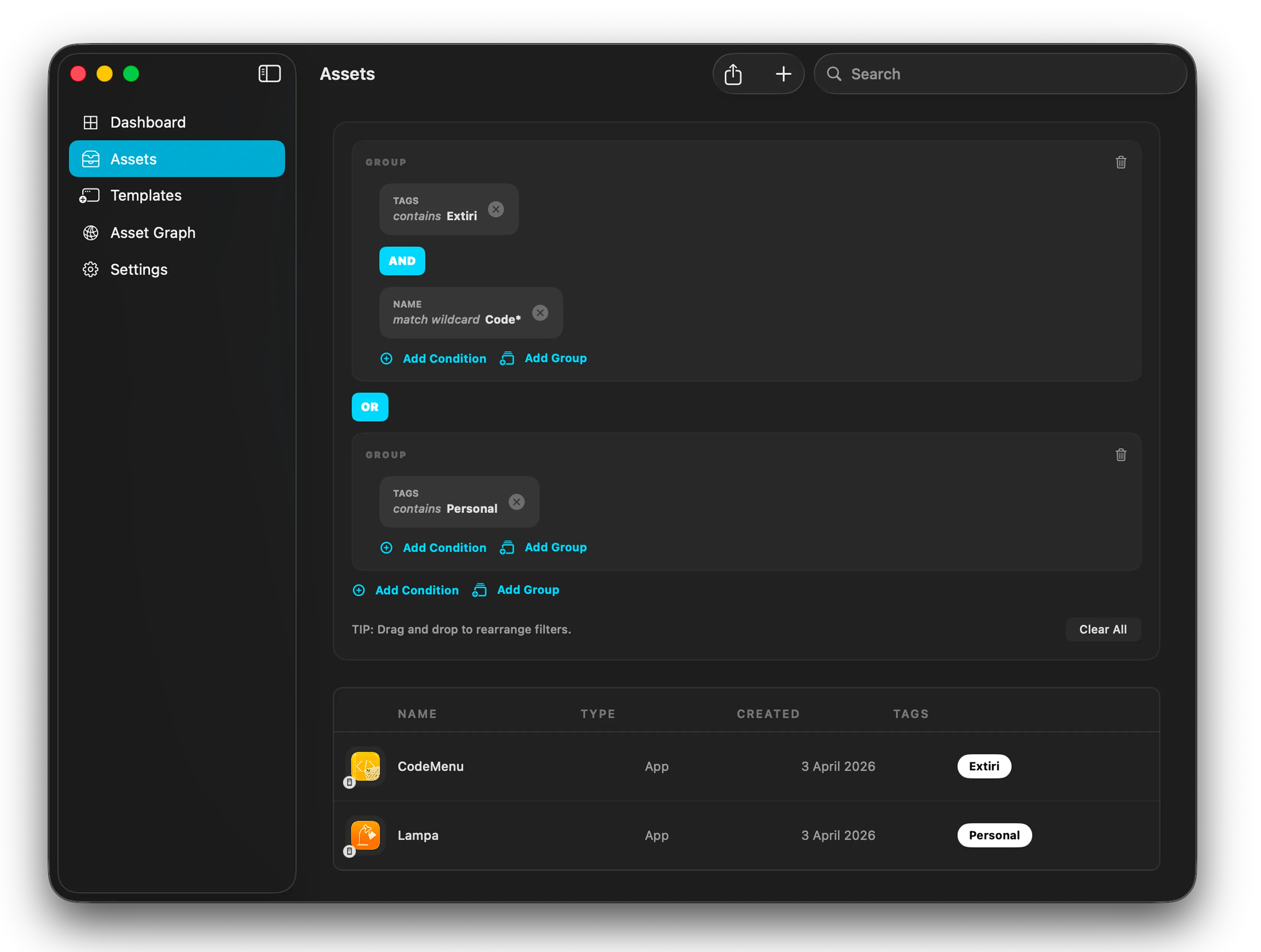
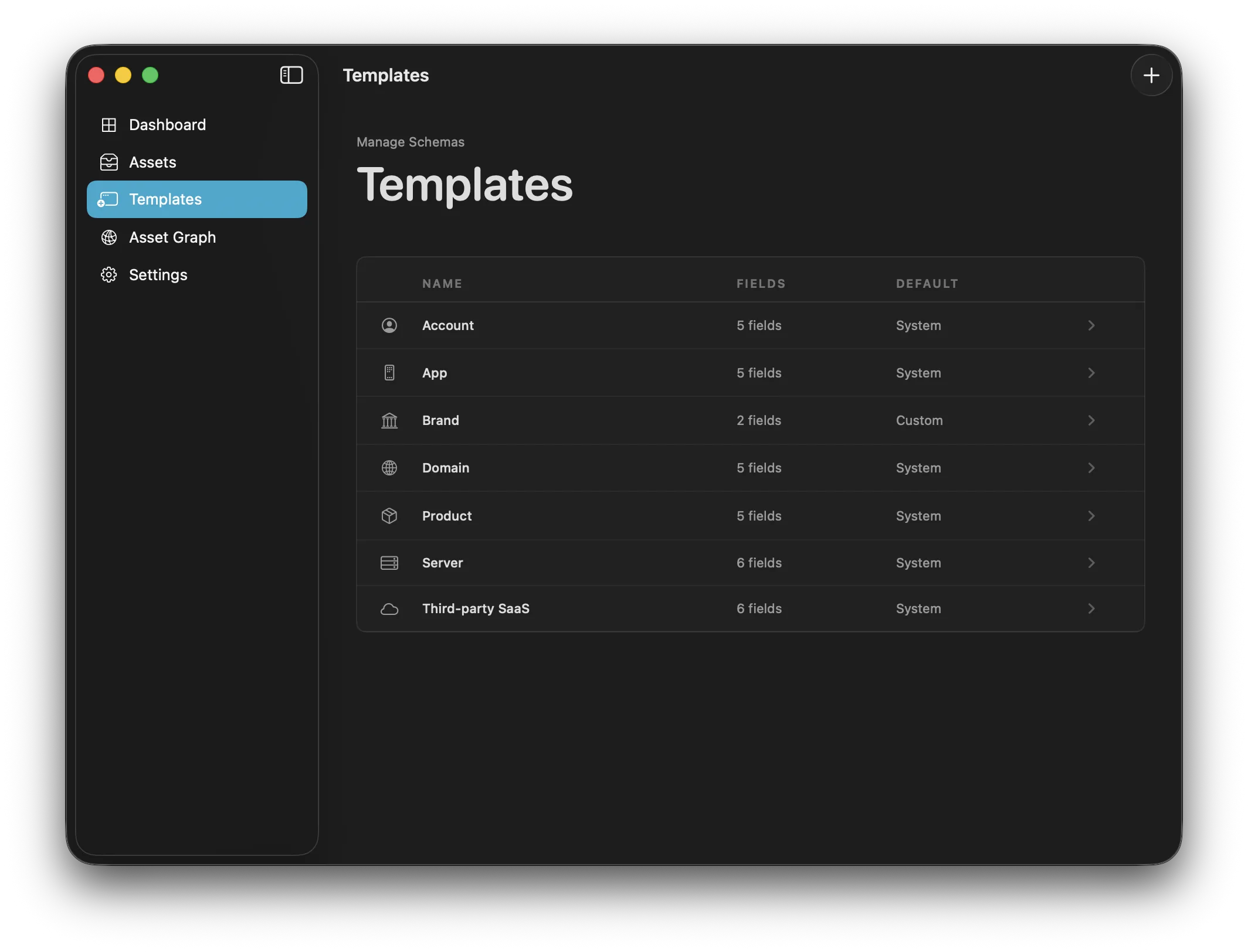
Resso precise filtering Resso template library

Search and standards

Find the exact thing. Store it the same way every time.

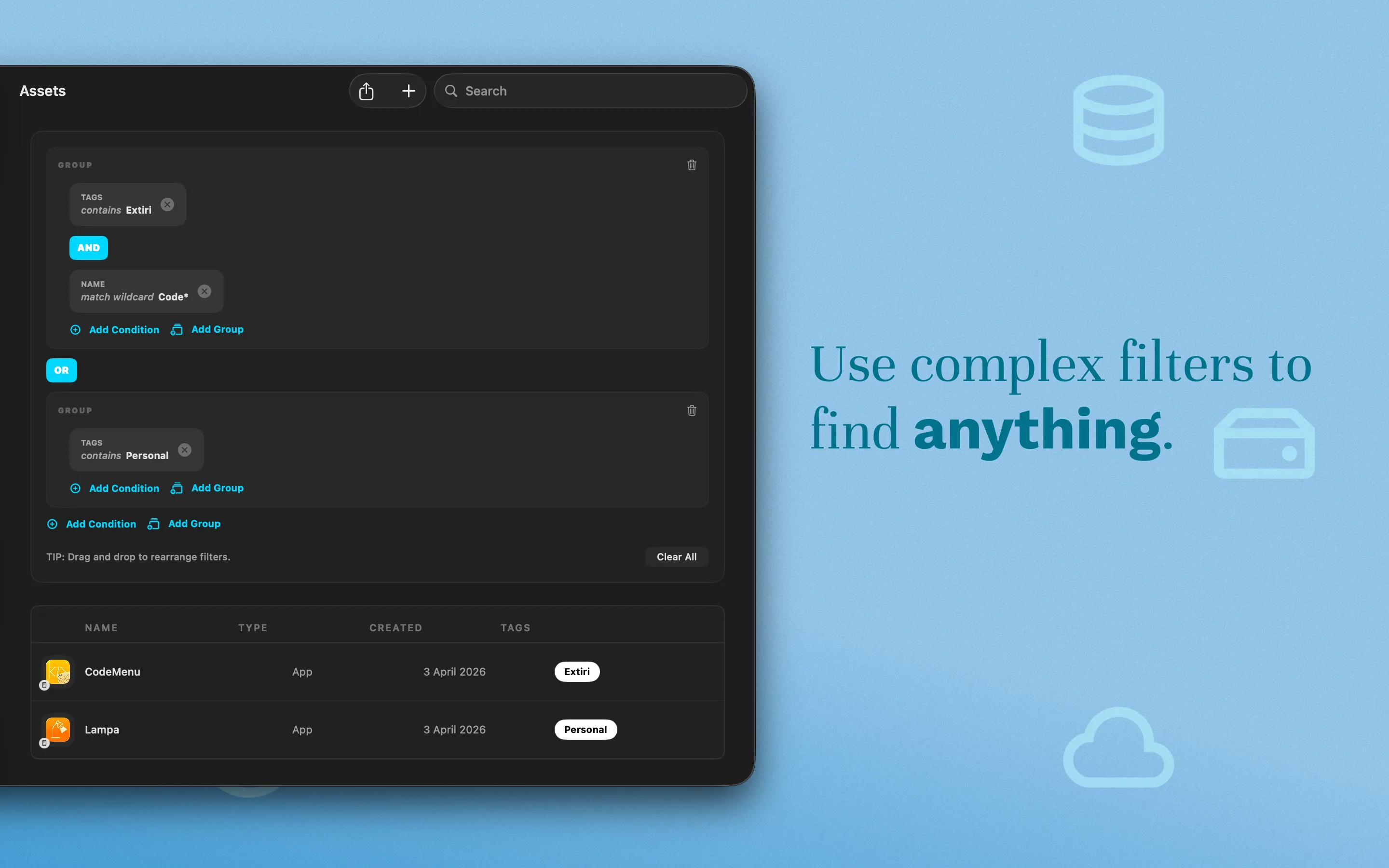
Resso's filter engine supports complex logic tailored to property types. Templates keep repeated asset types consistent, so a server or domain follows the same structure across projects.

Combine string, numeric, date, and relationship filters.
Standardize asset records with reusable blueprints.
Search thousands of assets without losing the surrounding context.

Remote database

Share one Resso inventory with your team

Use a remote server as Resso's backing storage when infrastructure knowledge should be shared instead of living on one Mac. Another Resso app or any compatible API can provide the database endpoint, including the official self-hosted server.

Give teammates a shared source of truth for servers, domains, apps, accounts, and operational notes.
Self-host the official resso-database-server or connect a compatible API.
Keep local-first workflows for solo work, then configure a shared remote backing store when a project becomes collaborative.
Resso client Use the Mac app as the interface for browsing, editing, and linking infrastructure assets.
Remote backing store Point Resso at another Resso app or a compatible server API running on your own infrastructure.
Team inventory Share the same asset graph across the people who maintain deployments, DNS, providers, and access.

Sync and automation

Bring provider data in, then use it from your tools

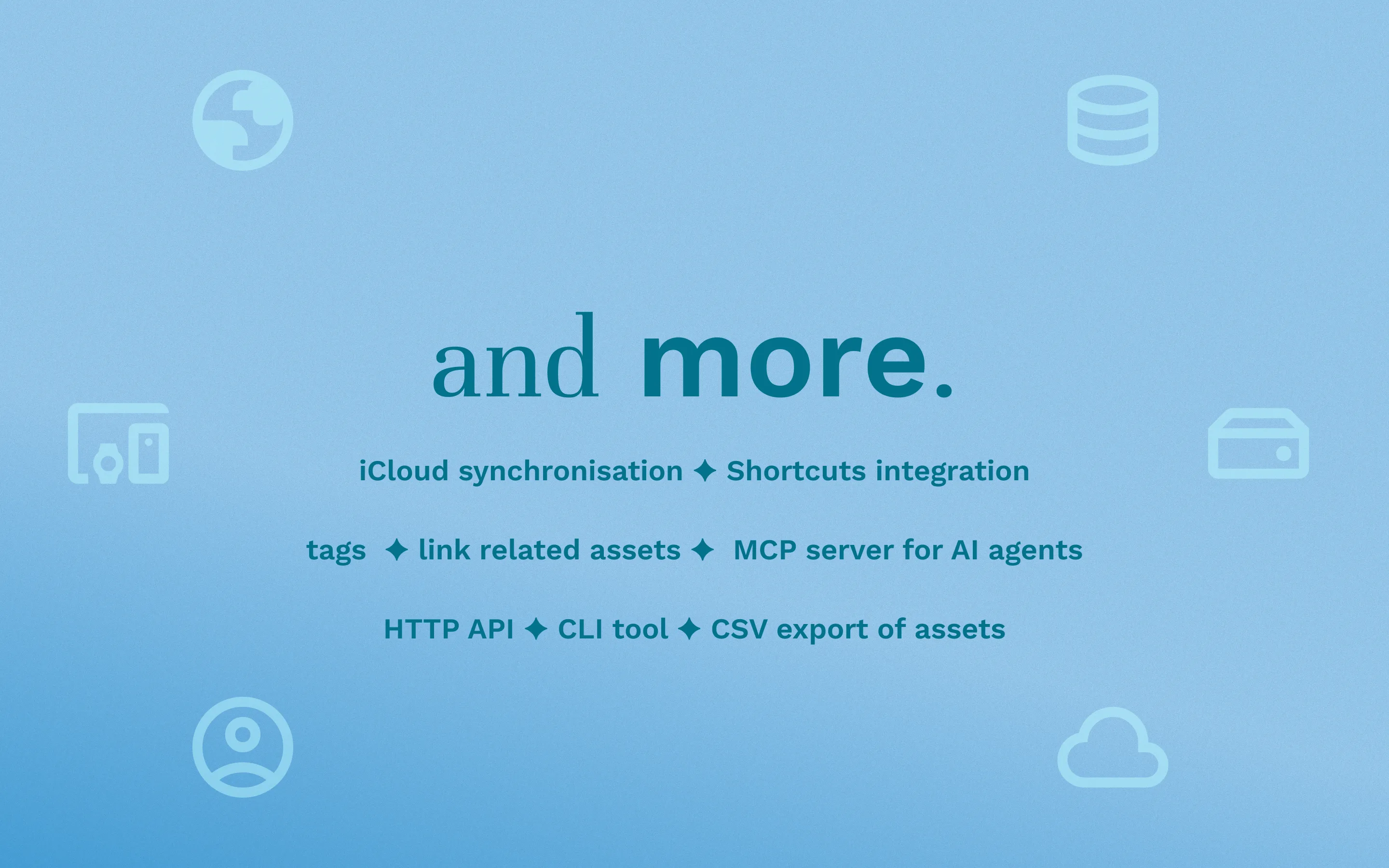
Sync directly from online providers, and use Resso's automation surfaces when your scripts, pipelines, or AI agents need infrastructure data.

App Store App Store
Oracle Cloud Oracle Cloud
Vercel Vercel
Google Cloud Google Cloud
GitHub GitHub
Cloudflare Cloudflare

API Server

A local API server to automate tasks and fetch Resso data programmatically.

ressoc CLI

Use Resso's database from your terminal, CI/CD scripts, or repeatable workflows.

MCP Server

Allow AI agents to securely access and modify your Resso database via ressoc mcp.

Ansible Inventory

Use Resso as inventory in playbooks with the resso-ansible plugin.

Questions

Clear expectations before you map your stack

What is infrastructure inventory?

Infrastructure inventory is the process of mapping and documenting the hardware, software, network configurations, and services that make up an environment. Resso makes that inventory visual, searchable, and relationship-aware.

Can I document cloud infrastructure?

Yes. Resso connects to providers like Oracle Cloud, Google Cloud, and other provider data sources to sync cloud assets into a unified asset manager.

Can I track domains?

Yes. You can track domain registrars, DNS records, SSL certificates, and renewal dates.

Can I manage VPS servers?

Yes. Resso lets you document server IPs, providers, and SSH credentials, then use the built-in terminal and SFTP browser for direct server work.

Can I store infrastructure notes?

Yes. Custom asset types let you define note formats, relationships, tags, files, encrypted files, and raw notes for the way your projects are architected.

Does Resso work offline?

Yes. Resso is built as a local workspace and supports iCloud sync across macOS and iOS.

Ready to visualize your stack?

Use Resso when your projects, providers, and deployment details have outgrown scattered notes.