
Context Switching Kills Flow
You are deep in the zone, debugging an API request. Suddenly, you need to parse a Unix timestamp. You open a new browser tab, search for "epoch to date", click a link, wait for the ads to load, and paste your timestamp. Ten seconds later, you need to test a regular expression. The process repeats.
These small interruptions destroy developer flow and cost hours of productive time over a week.
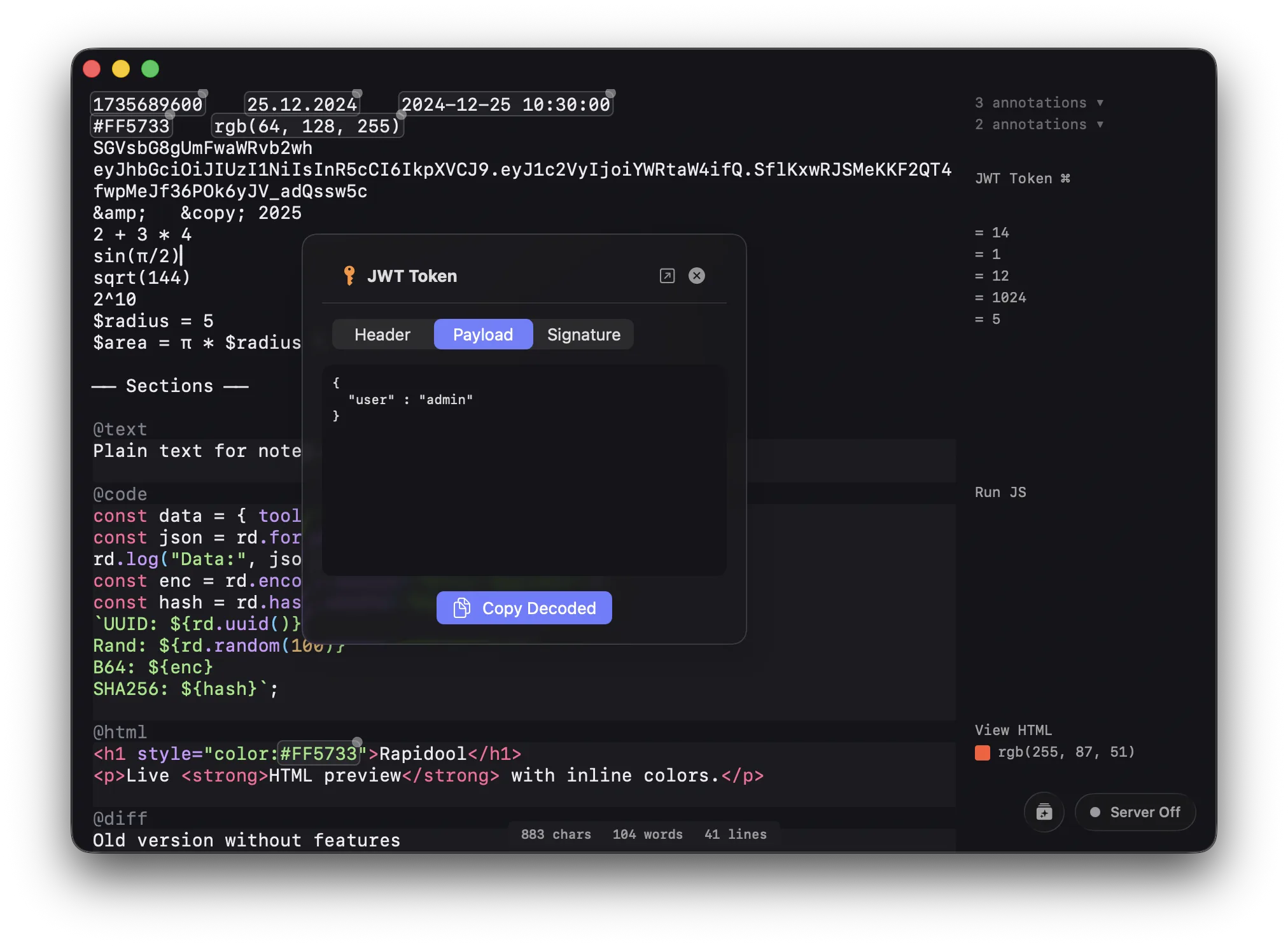
Rapidool replacing multiple browser utility tabs with a single, native macOS developer scratchpad.
Everything in One Native Canvas
Rapidool provides a unified, smart text editor that understands developer data. By leveraging native macOS performance, tools load instantly without network delays.
The Tools You No Longer Need Tabs For:
- Regex Tester: Type
@regexand instantly test matches with real-time highlighting. - JavaScript Sandbox: Type
@codeto execute JS snippets natively. - Timestamp & Math Converter: The "Ghost Gutter" automatically detects and evaluates Unix timestamps, simple math, and Base64 strings in your text.
- Quick Formatting: Press
Cmd+Shift+Spaceanywhere on your Mac to instantly format JSON in your clipboard using the Command Bar. - Diff Checker: Type
@diffto instantly compare two blocks of text.
Workflow in 3 Steps
- Paste Raw Data: Dump a massive log file or API response into the editor.
- Transform Instantly: Use the inline blocks or Ghost Gutter to decode, format, or evaluate data instantly.
- Stay in Flow: Get your answer and go right back to your code editor.